
Be There
Blog
12 Essential Event Planning Templates Checklists for 2025
By BeThere
Dec 3, 2025 • 26 min read
Share this post


Planning an event, whether a corporate mixer, a team-building offsite, or a product launch, involves juggling countless moving parts. From budget allocation and vendor coordination to day-of logistics and post-event follow-ups, a single missed detail can derail the entire experience. This is where a solid framework becomes invaluable. Instead of starting from scratch every time, leveraging proven event planning templates and checklists saves time, reduces stress, and ensures no critical step is overlooked.
This guide provides a curated list of the 12 best resources for these essential tools, categorized by use case. We'll explore everything from simple, printable documents on Etsy and Amazon to robust project management dashboards in Asana and ClickUp. Each item includes screenshots, direct links, and practical tips to help you find the perfect system to match your event's complexity and your team's workflow. We cut through the noise to show you exactly which platforms offer the most practical and customizable solutions.
For companies who use both Slack and Google Calendar internally, managing these details can become fragmented. We'll specifically highlight how tools like Be There are very useful and handy for these organizations, simplifying event organization by integrating RSVPs, reminders, and calendar invites directly inside Slack. To master any event, you can also leverage a robust event planning timeline template for any occasion to keep every milestone on track. Our goal is to equip you with the best frameworks so you can stop reinventing the wheel and focus on creating memorable experiences for your team.
1. Etsy
Etsy is an expansive online marketplace well-known for handmade goods, but it’s also a treasure trove for digital event planning templates checklists. Instead of offering a single, standardized set of tools, Etsy provides access to thousands of unique templates created by independent designers. This makes it an ideal source for finding highly specific or aesthetically themed materials that you can't find elsewhere.
The sheer variety is Etsy's main advantage. You can find everything from a minimalist project plan in Google Sheets to a vibrant, Canva-editable bachelorette party itinerary. Because these are one-off digital downloads, they are incredibly affordable, often costing just a few dollars. This is perfect for teams needing a quick, budget-friendly solution for a single event without committing to a subscription service.
✦Navigating Etsy for the Best Templates
To get the most out of Etsy, it's crucial to use specific search terms like "corporate event planning checklist excel" or "team retreat agenda canva." Always read the shop's reviews and check the item description carefully to confirm file formats (PDF, Google Sheets, Canva, etc.) before purchasing. Quality and support can vary significantly between sellers, so a little due diligence goes a long way.
Pro-Tip: After purchasing a Google Sheets template, you can easily integrate its tasks into your team’s workflow. Copy key action items from the spreadsheet and use them to create a checklist within a Slack channel. For companies using Slack and Google Calendar, Be There is very handy for managing event RSVPs and reminders directly in Slack, using the detailed plan from your Etsy template as the foundation.
- Website: Etsy - Event Planning Checklists
- Best For: Niche, themed, or one-off events requiring a unique aesthetic.
- Pricing: Pay-per-template, typically from $1–$12.
- Formats: Google Sheets, Excel, Canva, PDF, and more.
2. Amazon
While Amazon is the go-to for almost any physical product, it also serves as a surprisingly useful hub for tangible event planning templates checklists. This platform excels for those who prefer a physical, hands-on approach to organization, offering everything from spiral-bound notebooks and detailed binders to printed checklists designed for specific events like corporate offsites or holiday parties.
The primary benefit of using Amazon is convenience, especially with Prime for fast shipping. You can get a professionally designed planner in your hands in a day or two, which is ideal for last-minute needs. The vast selection includes options for different scales and event types, supported by an extensive customer review system that helps you gauge the quality and layout of internal pages before you buy. Beyond physical goods, you can also find Kindle e-books and printable checklists from third-party sellers.
✦Navigating Amazon for the Best Planners
For the best results, use precise search phrases like "corporate event planner notebook" or "project management binder with checklists." Pay close attention to the "Look Inside" feature for books and read customer reviews with photos to get a clear sense of the internal layout. Since these are physical products, customization is limited, so ensure the format aligns with your planning style from the start.
Pro-Tip: A physical planner is excellent for high-level brainstorming and day-of coordination. You can digitize its key milestones by creating tasks in Slack. For companies that use Slack and Google Calendar internally, Be There is very useful for scheduling reminders based on your planner's "Vendor Confirmation" checklist, ensuring your digital and physical planning tools work together seamlessly.
- Website: Amazon - Event Planners
- Best For: Teams and individuals who prefer a physical, tangible planner with a familiar and fast purchasing process.
- Pricing: Varies widely, with notebooks typically ranging from $10–$35.
- Formats: Physical notebooks, binders, printed pads, Kindle e-books, and some printables.
3. Canva
Canva is a powerhouse design platform that doubles as an excellent source for visually appealing event planning templates checklists. While not a dedicated project management tool, its strength lies in creating beautifully branded, printable, or digitally shareable documents. It's the perfect choice when your checklist needs to look as professional as the event itself, serving as a one-pager, branded itinerary, or public-facing schedule.
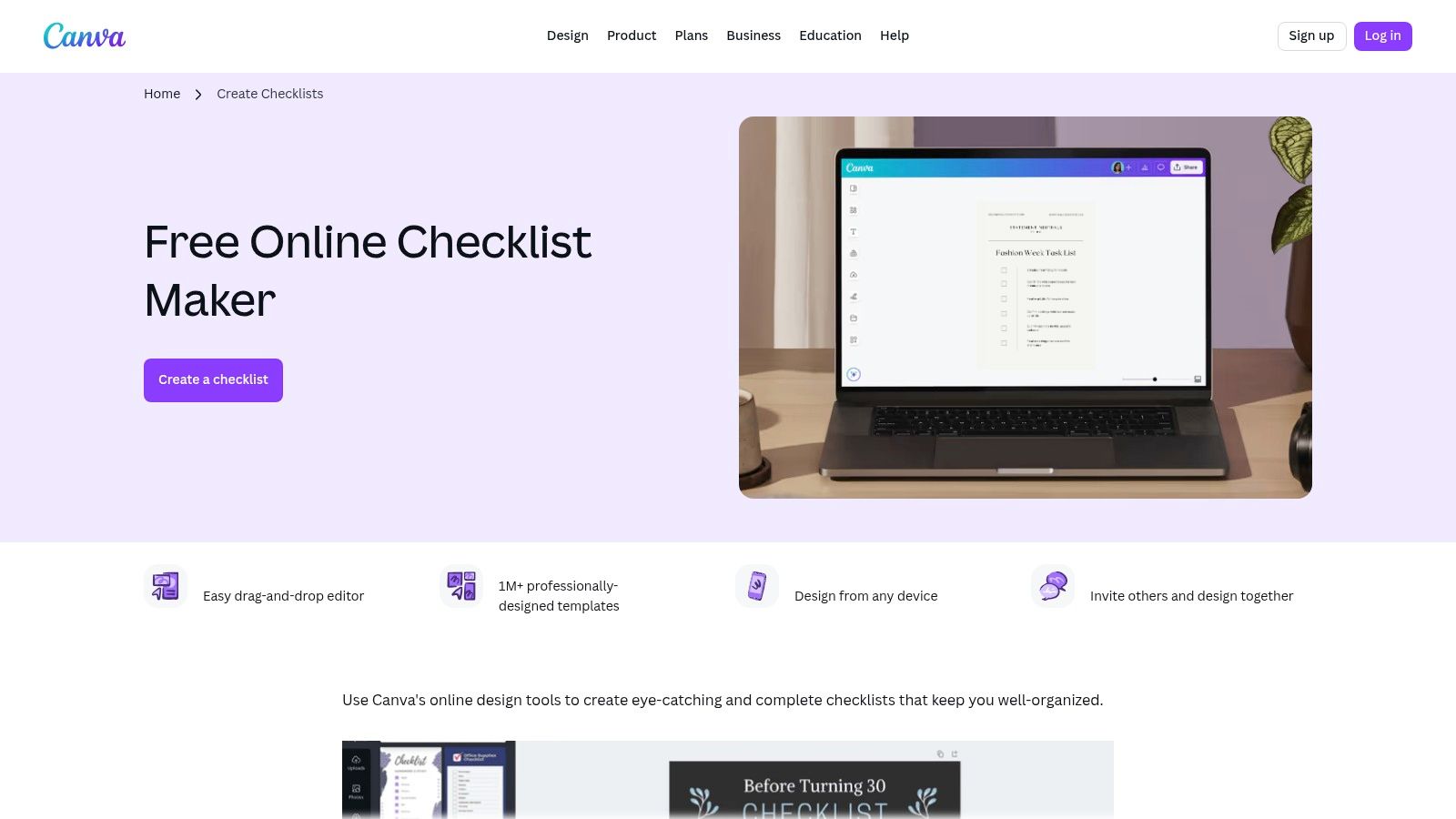
The platform’s intuitive drag-and-drop editor allows for quick customization. You can effortlessly add your company’s logo, adjust colors to match your branding, and modify layouts in minutes. Its free tier is remarkably functional, offering thousands of usable templates that can be exported as high-quality PDFs or shared via a direct link, making distribution to your team or stakeholders seamless. For teams that need to maintain brand consistency across all event materials, Canva is an indispensable resource.
✦Navigating Canva for the Best Templates
To find the most relevant templates, use specific search terms within Canva like "event planning checklist," "conference agenda," or "party itinerary." You can filter results by style, theme, and color. Remember that while Canva is great for the visual aspect of planning, it lacks the dynamic functionality of a spreadsheet or project tool. Focus on using it for static, design-focused documents.
Pro-Tip: Design your master event checklist in Canva, then export it as a PDF for reference. For companies using Slack and Google Calendar, Be There is particularly useful for turning these plans into action. You can create an event announcement in Slack with an interactive RSVP and reminder system, combining Canva's design strengths with Be There's functionality to keep your team aligned where they work.
- Website: Canva - Checklist Maker
- Best For: Creating branded, visually appealing checklists for print or digital sharing.
- Pricing: Robust free plan available; Canva Pro subscription required for premium assets.
- Formats: PDF, PNG, JPG, and shareable links.
4. ClickUp (Templates)
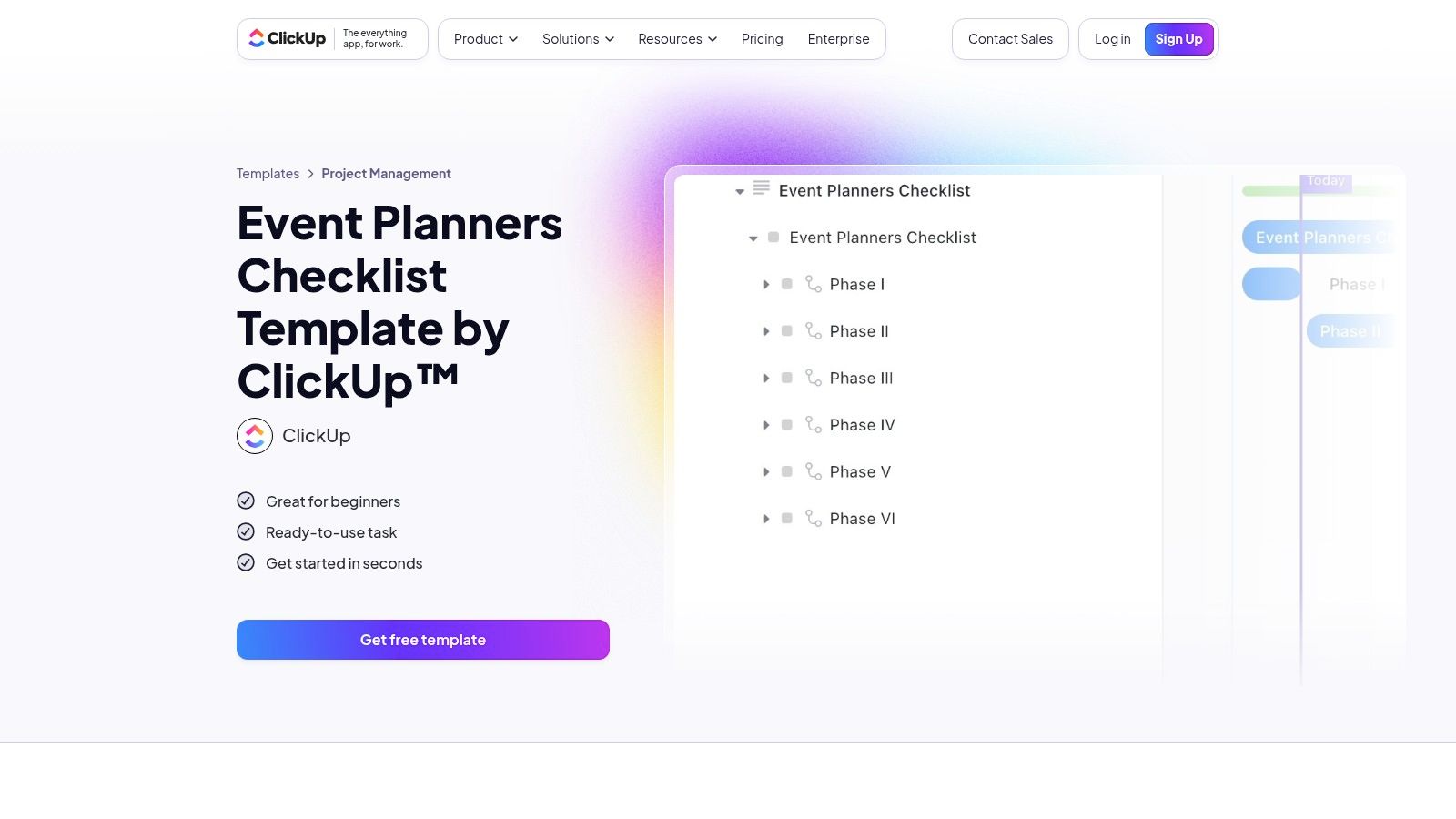
ClickUp moves beyond simple spreadsheets into a full-fledged work management platform, offering robust event planning templates checklists within a collaborative environment. Unlike static downloads, ClickUp templates provide a dynamic framework where teams can assign tasks, set deadlines, track progress, and communicate in real-time. This makes it a powerful solution for complex events with multiple stakeholders and moving parts.
The platform’s strength lies in its versatility. You can start with a pre-built event planning template and then customize it with unique fields, automations, and multiple views like Gantt charts for timelines, Kanban boards for task stages, and calendars for scheduling. It centralizes everything from vendor contracts in its Docs feature to budget tracking with custom fields, eliminating the need to jump between different applications. For a deeper dive into using such platforms, learn more about event planning project management.
✦Navigating ClickUp for the Best Templates
To get started, search for the "Event Planners Checklist" in ClickUp's template library and apply it to a new Space or Folder. The main challenge is its learning curve; new users should take time to explore the different views and features to understand how they can best serve their event workflow. For instance, use the Board view for managing venue selection stages and the List view for a simple day-of checklist.
Pro-Tip: Use ClickUp for detailed planning and then bridge the communication gap for your team in Slack. If your company relies on Slack and Google Calendar, a tool like Be There is very useful. It lets you schedule key milestones from your Google Calendar as announcements in a dedicated Slack channel, sending automated reminders to ensure everyone stays aligned without having to leave their primary communication platform.
- Website: ClickUp - Event Planners Checklist Template
- Best For: Teams managing complex, multi-stage events that require real-time collaboration and detailed tracking.
- Pricing: Offers a generous free-forever plan; paid plans with more advanced features start at $7 per member/month.
- Formats: Integrated proprietary platform (ClickUp).
5. monday.com (Templates)
monday.com is a powerful work operating system (Work OS) that goes far beyond simple checklists, offering a comprehensive suite of event planning templates checklists designed for robust team collaboration. It transforms static to-do lists into dynamic, visual workflows where teams can manage tasks, timelines, budgets, and vendors all in one centralized place. Its strength lies in its ability to handle complex projects with multiple moving parts.
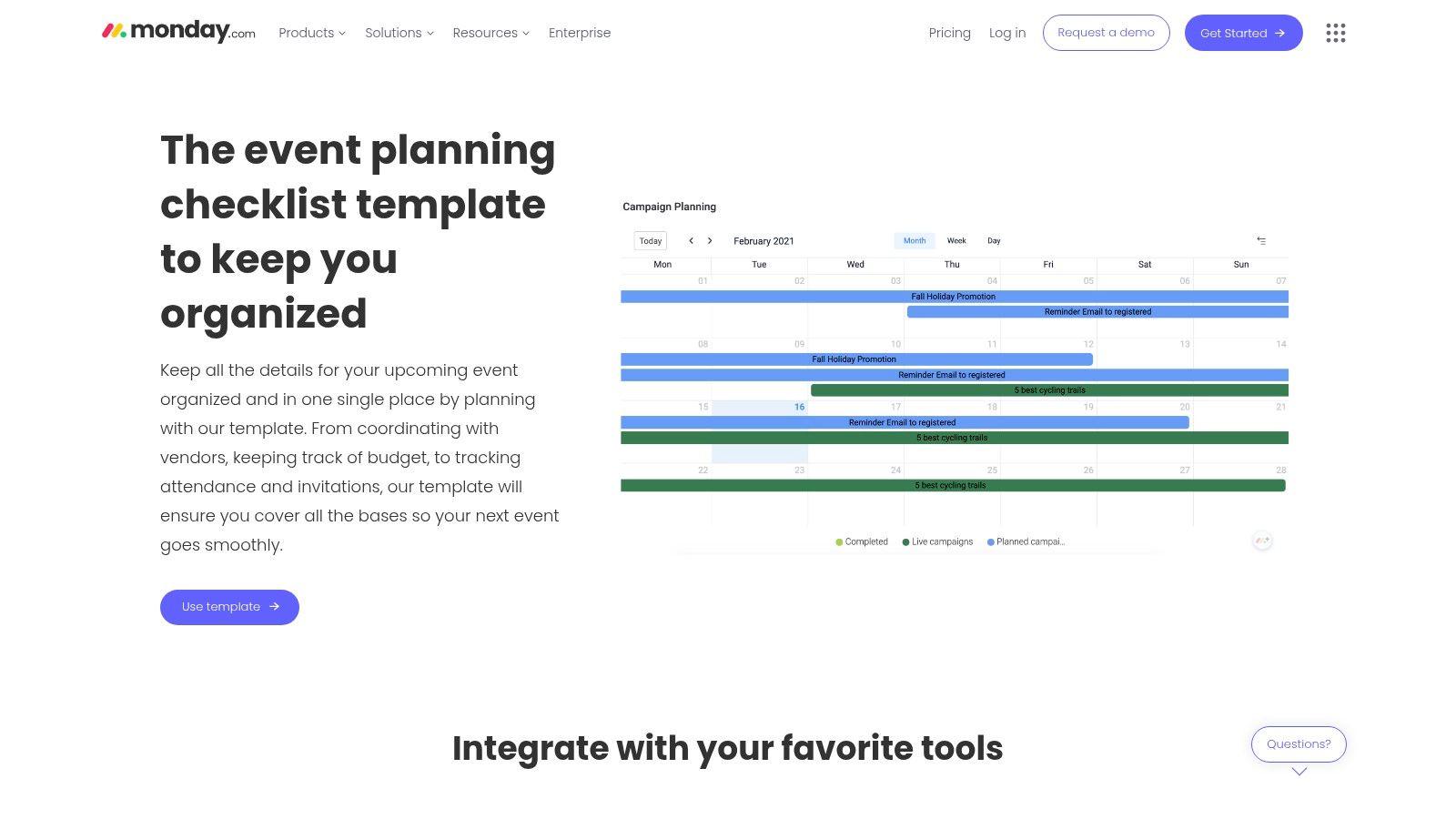
The platform’s highly visual nature, with features like Gantt charts, calendar views, and Kanban boards, allows planners to see the big picture at a glance while still drilling down into granular details. Its templates come pre-built with columns for owner, status, deadline, and priority, which you can customize to fit your event's specific needs. This makes it ideal for teams coordinating intricate corporate events, multi-day conferences, or product launches where task dependencies and real-time progress tracking are critical.
✦Leveraging monday.com for Team Coordination
To maximize monday.com, use its automation features to reduce manual work. For instance, you can set up automations to notify a team member when a task's status changes or to send a reminder when a deadline is approaching. Also, explore its dashboard and reporting capabilities to create high-level summaries for stakeholders, providing clear insights into event progress and resource allocation. While the platform is powerful, its best features are on paid plans, so using the free trial is essential to evaluate its full potential for your team.
Pro-Tip: For companies that use Slack and Google Calendar, monday.com can serve as the planning hub while a tool like Be There handles team communication. It’s a handy combination: build your detailed plan in monday.com, then use Be There to manage RSVPs and automated reminders directly in Slack, keeping your team updated without them ever needing to leave their primary communication platform.
- Website: monday.com - Event Planning Checklist
- Best For: Collaborative teams managing complex, multi-stage corporate events.
- Pricing: Free plan available; paid plans start from $9 per seat/month.
- Formats: Integrated Work OS (web and mobile app).
6. Asana (Templates)
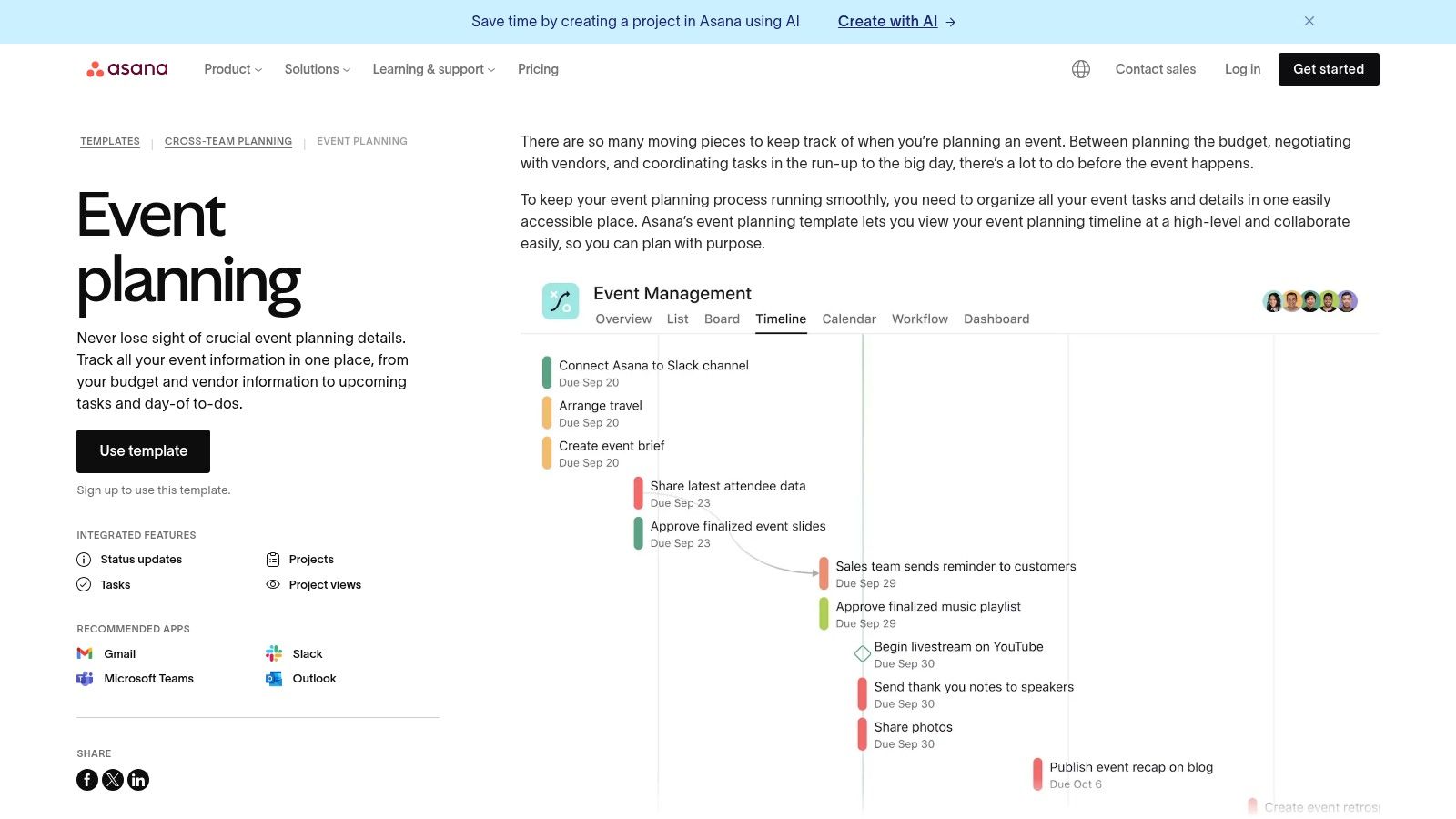
Asana is a powerful project management tool, and its free event planning templates checklists bring that same level of structure to organizing complex events. Instead of a simple spreadsheet, Asana provides a dynamic project board where tasks can be assigned, tracked with deadlines, and visualized in a timeline or calendar view. This makes it ideal for managing large-scale events with multiple moving parts and clear team member responsibilities.
The template comes pre-populated with sections for planning, vendor management, budget tracking, day-of coordination, and post-event wrap-up. Asana’s standout feature is its ability to handle dependencies, automatically adjusting timelines if one task is delayed. This is a game-changer for coordinating intricate schedules where one step depends on another, like securing a venue before booking catering.
✦Leveraging Asana for Team-Based Events
To get started, simply import the event planning template into your workspace. Customize the pre-built sections to fit your specific event, and assign tasks with due dates to team members. Use the "Timeline" view to get a Gantt chart-style overview of your entire event plan, which helps identify potential bottlenecks early. While Asana manages the high-level project plan, it's not designed for direct guest communication.
Pro-Tip: Use Asana as your single source of truth for all event tasks. For companies that operate in Slack and Google Calendar, Be There is very useful for handling the RSVP and communication part. After setting your timeline in Asana, create the event in Slack using Be There to manage invites and reminders, ensuring your team sees critical dates without leaving their primary communication tool.
- Website: Asana - Event Planning Template
- Best For: Complex, multi-phase events requiring clear task ownership and dependency tracking.
- Pricing: Template is free. Asana offers a free tier; paid plans with advanced features start at $10.99/user/month.
- Formats: Asana Project Board.
7. Trello (Template Gallery)
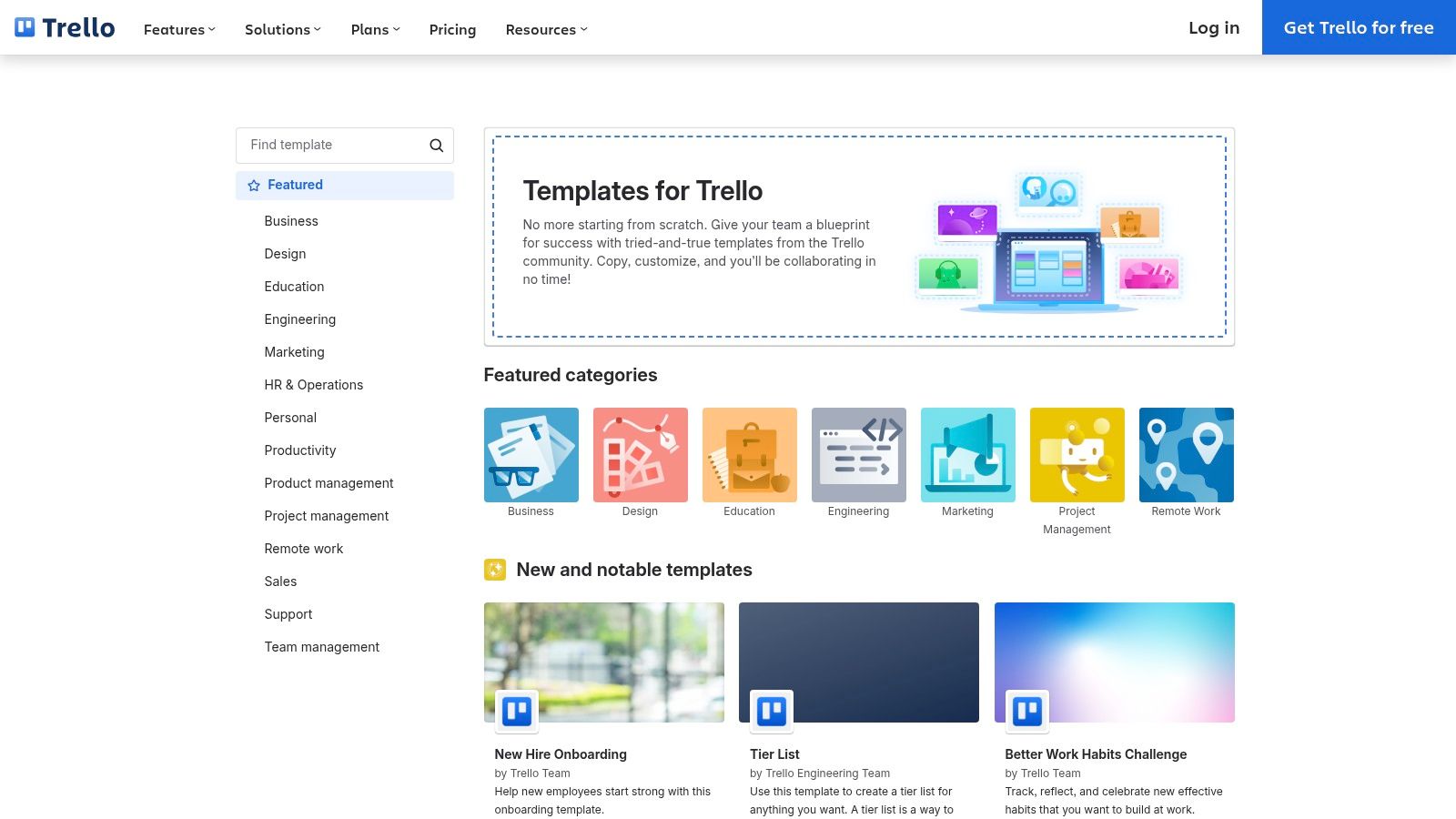
Trello is a popular Kanban-style project management tool that offers a gallery of pre-built event planning templates checklists perfect for visual organizers. Instead of linear spreadsheets, Trello allows you to manage tasks as "cards" that move across columns like "To-Do," "In Progress," and "Done." This visual approach is excellent for tracking progress at a glance, especially for teams coordinating multiple moving parts.
The platform's strength lies in its simplicity and flexibility. You can quickly copy an event planning board template and customize it by adding detailed checklists to each card, assigning team members, setting due dates, and using color-coded labels for categories like "Venue," "Catering," or "Marketing." Its free tier is robust, making it highly accessible for volunteer-driven events or teams with limited budgets who need a straightforward coordination hub.
✦Navigating Trello for the Best Templates
To find the right starting point, search the Trello template gallery for terms like "event planning" or "party planning." You can then adapt the board to your specific needs. The built-in "Butler" automation can handle repetitive tasks, such as automatically moving a card to the "Done" column when all its checklist items are completed. While Trello is great for task management, it's less suited for complex budget tracking or managing dependencies without paid Power-Ups.
Pro-Tip: Use Trello for high-level planning. For companies on Slack and Google Calendar, Be There is a handy tool for guest management. After setting up milestones in Trello, create the event announcement in a Slack channel using Be There. It syncs with Google Calendar, handles RSVPs, and sends automated reminders, ensuring attendees are informed while your team tracks progress in Trello.
- Website: Trello - Template Gallery
- Best For: Visual task tracking and volunteer-driven or team-based coordination.
- Pricing: Free tier available; paid plans start at $5 per user/month.
- Formats: Trello Boards.
8. TeamGantt
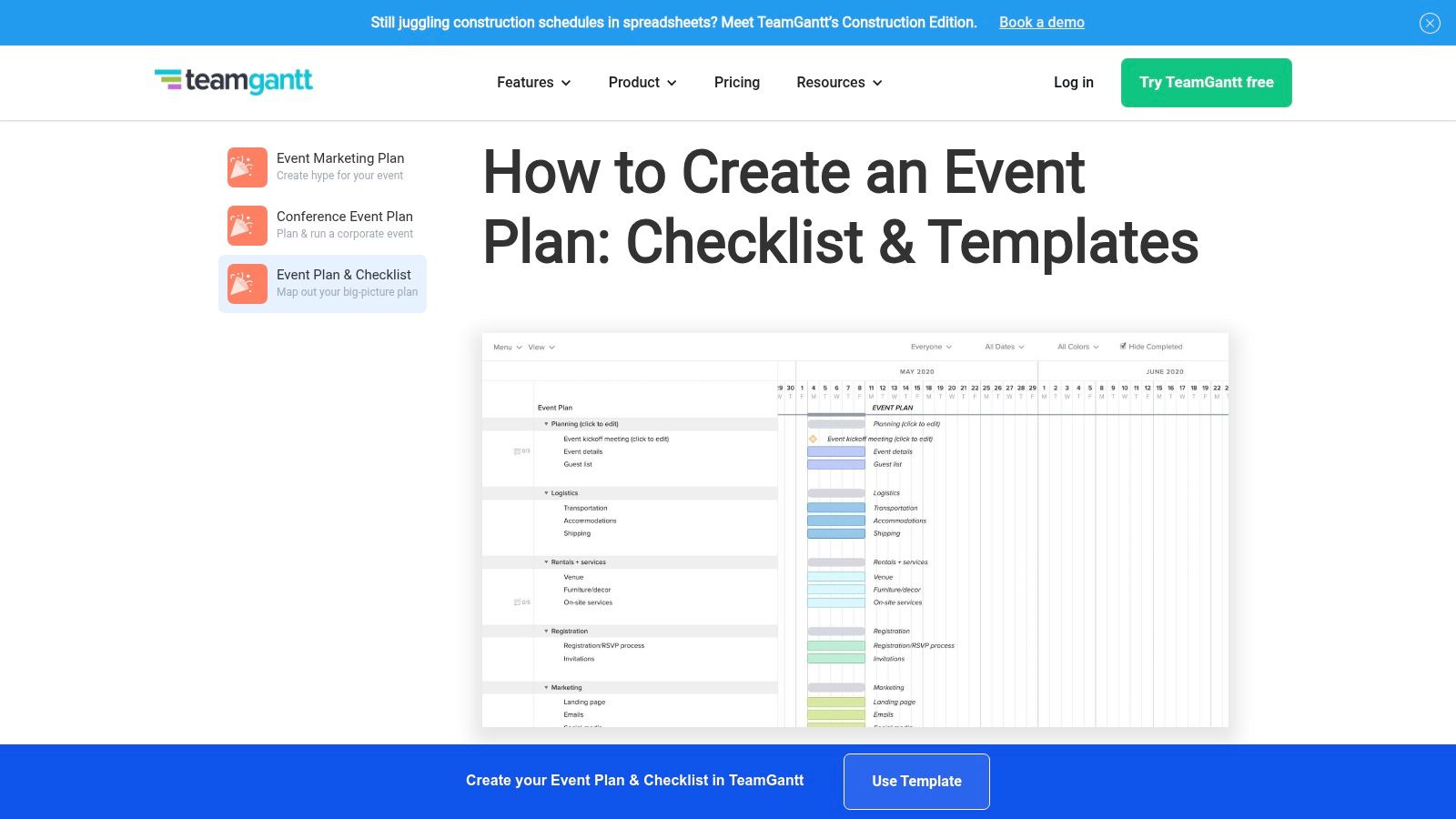
TeamGantt is a project scheduling platform that excels at creating clear, time-bound project plans, making it a powerful resource for complex events with many dependencies. It offers free, downloadable event planning templates checklists in spreadsheet format, but its real strength lies in its dynamic online Gantt chart software. This approach is ideal for planners who need to visualize the entire event timeline, from initial brainstorming to post-event follow-up, and see how each task connects.
The platform provides a clear visual hierarchy of tasks, deadlines, and milestones, which is invaluable for coordinating with vendors, speakers, and internal teams. You can easily drag and drop tasks to adjust schedules, assign responsibilities, and attach important documents directly to action items. This transforms a static checklist into a collaborative and interactive event management hub.
✦From Gantt Chart to Team Action
TeamGantt's strength is its timeline-first approach, ensuring that every task is properly sequenced and resourced. The ability to switch between Gantt, list, board, and calendar views gives your team the flexibility to manage their work in a way that best suits them. This makes it an excellent tool for stakeholder reporting, as you can present a high-level, professional timeline with just a few clicks.
Pro-Tip: Use TeamGantt for your master timeline. For companies using Slack and Google Calendar, Be There is very useful for translating these plans into team actions. Take a major milestone from your Gantt chart, like "Send Final Attendee Reminder," and use Be There to schedule and manage that announcement directly in Slack, ensuring your high-level plan is executed flawlessly within your daily workflow.
- Website: TeamGantt - Event Planning Template
- Best For: Complex events with many dependencies requiring clear timeline visualization.
- Pricing: Free downloadable templates and a free plan for up to 3 users; paid plans start at $19/month per user.
- Formats: Excel, online Gantt chart.
9. Vertex42
Vertex42 is a go-to resource for professionally crafted Excel and Google Sheets templates, specializing in detailed spreadsheets that are perfect for data-heavy event management. While many of its popular templates are geared toward weddings, their structure for managing budgets, guest lists, and timelines can be effortlessly adapted for corporate event planning templates checklists, from company picnics to annual conferences.
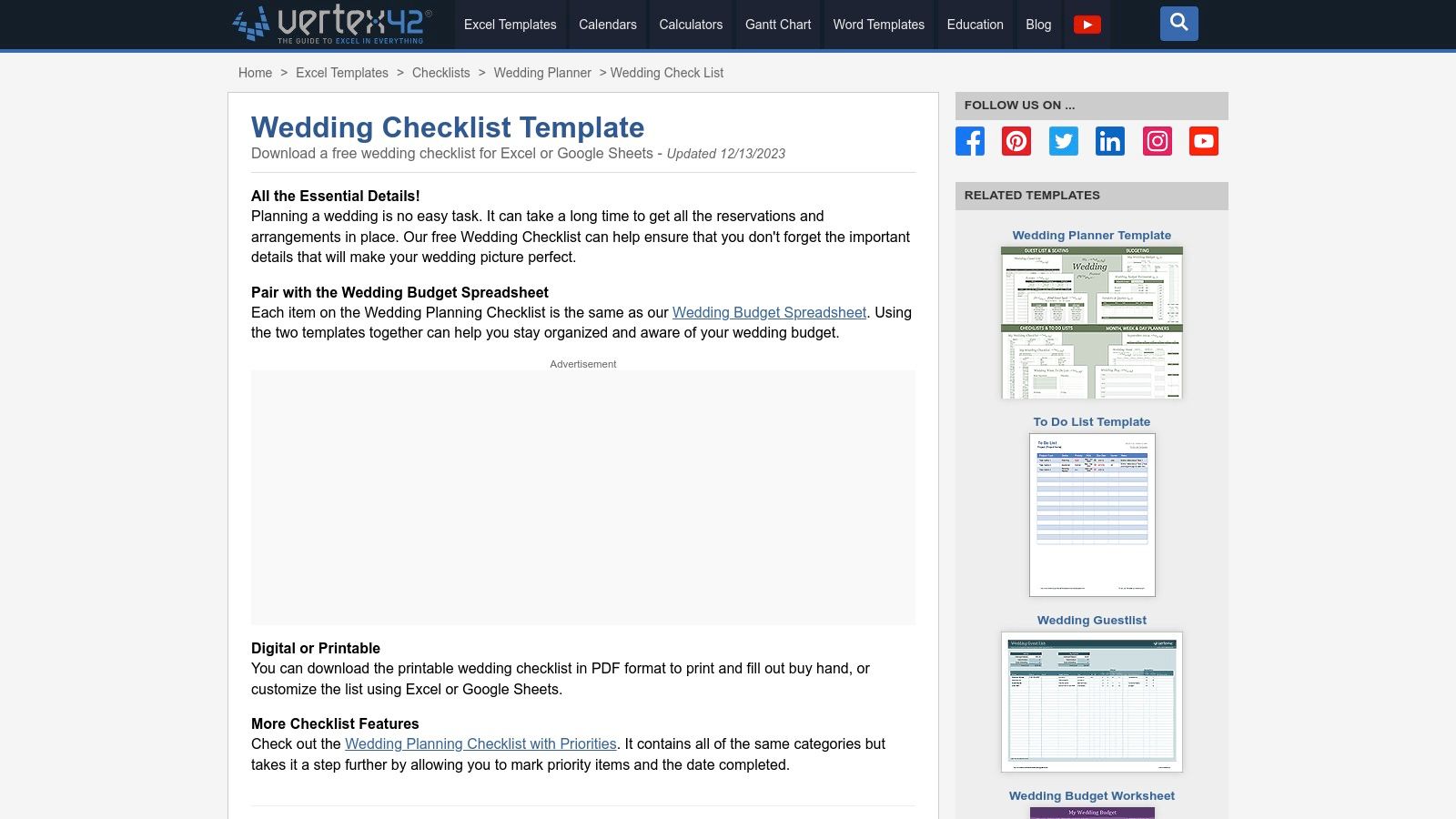
The primary strength of Vertex42 lies in its spreadsheet-first approach, which is ideal for anyone comfortable with Excel or Google Sheets. The templates feature well-organized tabs for different planning stages, robust formulas for budget tracking, and clear documentation. This makes them highly practical for tasks that require precise calculations and detailed list management, like tracking RSVPs or managing vendor payments. For those new to event planning, a spreadsheet provides a familiar and powerful foundation.
✦Making Vertex42 Templates Team-Ready
While a standalone Excel file isn't inherently collaborative, using the Google Sheets version of a Vertex42 template unlocks team functionality. Share the sheet with your planning committee for real-time updates on the budget and guest list. A well-structured spreadsheet can serve as a single source of truth for your event's logistical data. You can learn more about how a structured checklist enhances team coordination by reviewing a comprehensive corporate event planning checklist.
Pro-Tip: Pair a Vertex42 Google Sheet with your team’s communication hub. For companies using Slack and Google Calendar, Be There is a very useful tool to bridge this gap. Use your spreadsheet to manage data, then create event announcements in Slack with Be There to easily manage RSVPs and send automated reminders, ensuring your team stays aligned without leaving their primary workspace.
- Website: Vertex42 - Wedding & Event Templates
- Best For: Teams that prefer managing event data, budgets, and guest lists in a traditional spreadsheet format.
- Pricing: Most templates are free; some advanced versions are available for a small one-time fee.
- Formats: Excel (.xlsx) and Google Sheets.
10. Template.net
Template.net offers a massive library of professionally designed event planning templates checklists available in multiple document formats. It stands out by providing clean, corporate-ready templates that are easy to download and customize in common programs like Microsoft Word, Google Docs, Apple Pages, and PDF. This makes it a go-to resource for teams needing a polished document without the design work.
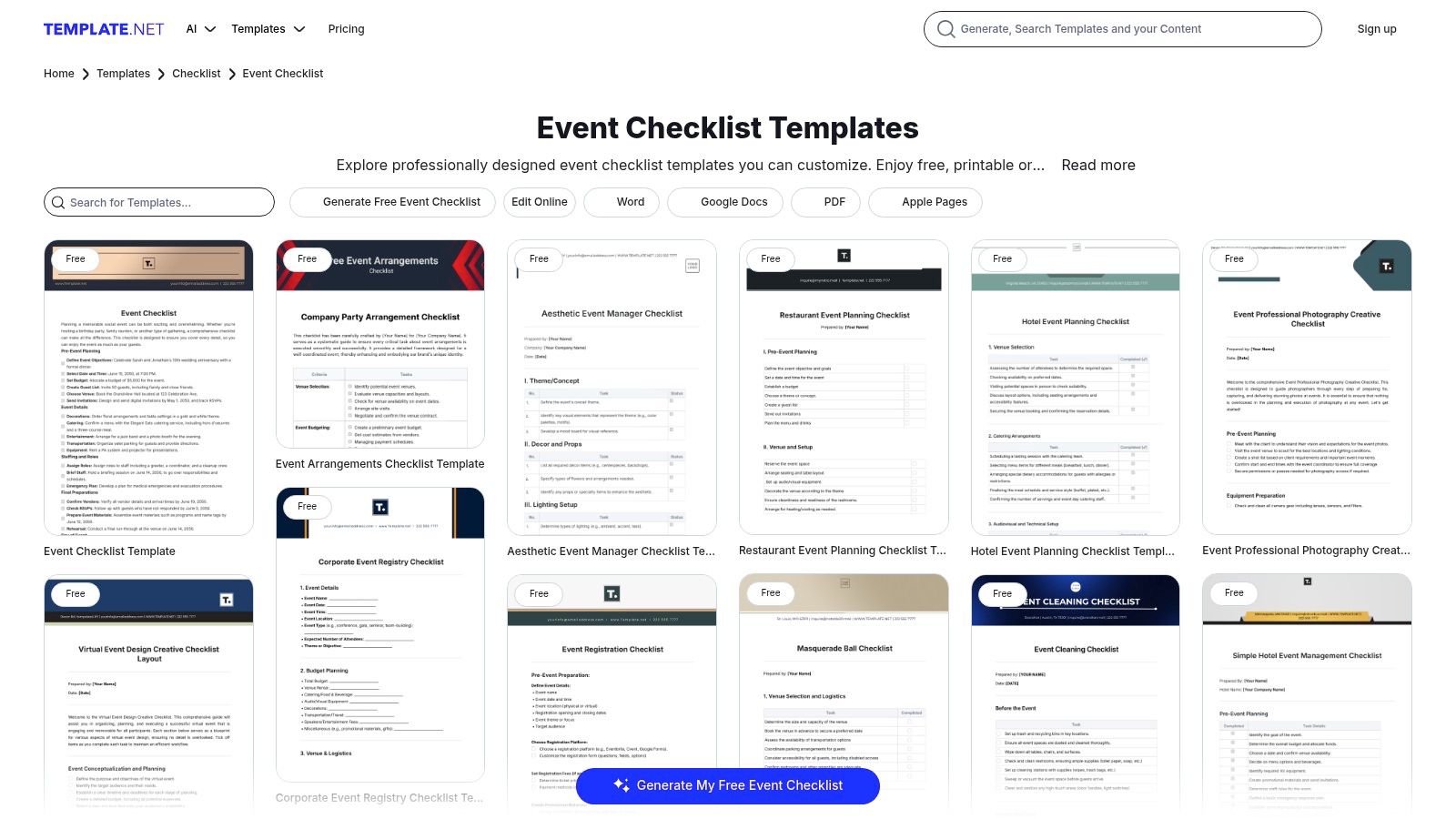
The platform is exceptionally well-organized, with templates categorized for specific use cases like fundraising, corporate meetings, and even hotel functions. While many resources are free, some of the more advanced or bundled templates require a Pro subscription. This model allows teams to grab a quick, free checklist for a simple event or upgrade for more comprehensive planning materials.
✦Using Template.net for Corporate Planning
The strength of Template.net lies in its business-friendly formatting. You can download a checklist, add your company logo, and share it directly with vendors or stakeholders. The multi-format availability ensures that everyone on your team can access and edit the document, regardless of their preferred software. Be mindful that downloading premium templates often requires signing up for an account.
Pro-Tip: Download a Google Docs checklist from Template.net to outline team responsibilities. For companies who manage events in Slack and Google Calendar, a tool like Be There is very handy. It lets you use the checklist to set up calendar invites and automatic reminders directly within Slack, ensuring your team stays aligned while leveraging a professional, pre-formatted planning document.
- Website: Template.net - Event Checklists
- Best For: Teams needing professional, easily editable documents for client or vendor-facing plans.
- Pricing: Offers a mix of free templates and Pro subscription plans for full access.
- Formats: Word, Google Docs, PDF, Apple Pages.
11. Eventbrite Resources
Eventbrite is a giant in the ticketing and event management space, and its educational resource hub offers a wealth of industry expertise. Instead of a single downloadable file, Eventbrite provides a master event planning templates checklists article that functions as a comprehensive, step-by-step guide. This is an excellent starting point for building a foundational checklist from scratch, ensuring you cover all critical stages from budgeting and venue selection to promotion and post-event analysis.
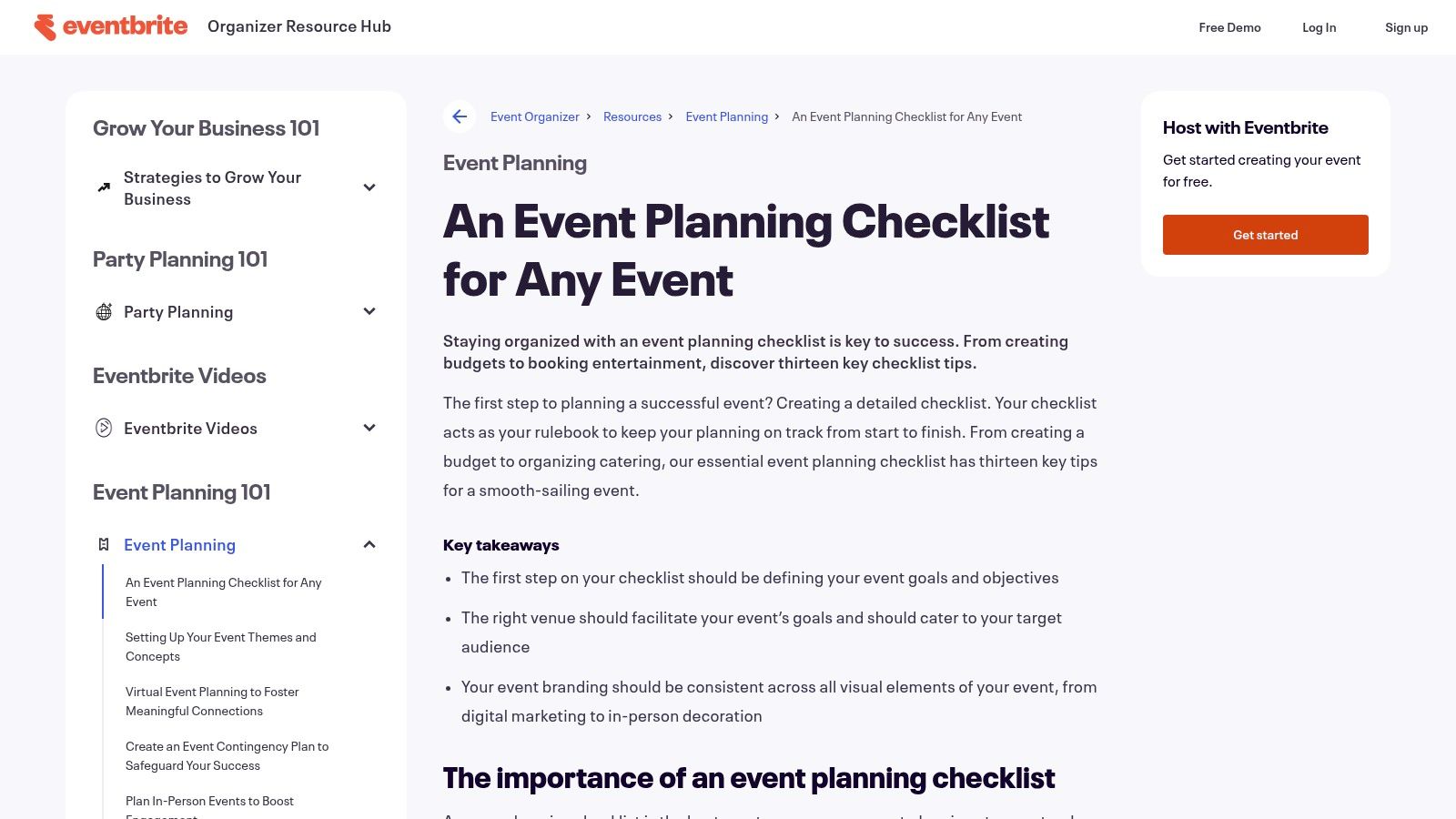
The primary benefit is tapping into free, best-practice advice from a platform that has processed millions of events. The content is designed to be actionable, guiding you through creating a detailed run sheet, contingency planning, and virtual event production. While you can't download a pre-formatted template, the article's structure makes it easy to copy and paste sections into your preferred tool, be it Google Docs, Notion, or a project management app.
✦Turning Guidance into Action
To make the most of Eventbrite's resources, treat their checklist as a blueprint. Copy the main headings and sub-points into a new Google Doc or Sheet to create your own customized template. This allows you to adapt their professional guidance to your specific event's needs. Pay close attention to their advice on promotion, as it directly complements their ticketing tools and can inform your event marketing plan.
Pro-Tip: After building your master checklist in Google Sheets from Eventbrite's guide, bring it to life in Slack. For companies that use Slack and Google Calendar, Be There is very useful for this. It lets you schedule key milestones from your Google Calendar, like "Send Final Reminder," as automated reminders in Slack, turning your static checklist into a dynamic, automated workflow that tracks RSVPs.
- Website: Eventbrite - Event Planning Checklist
- Best For: Creating a master checklist based on reputable, industry-standard guidance.
- Pricing: Free.
- Formats: Content-based (requires manual transfer to your own document).
12. Notion templates (NimbleGot / Notionland)
For teams already embedded in Notion's ecosystem, dedicated event planning templates checklists from creators like NimbleGot or galleries like Notionland are a game-changer. Rather than a simple spreadsheet, these templates offer interconnected databases that function as a complete event dashboard. They consolidate everything from task lists and vendor contracts to budgets and guest lists into a single, collaborative workspace.
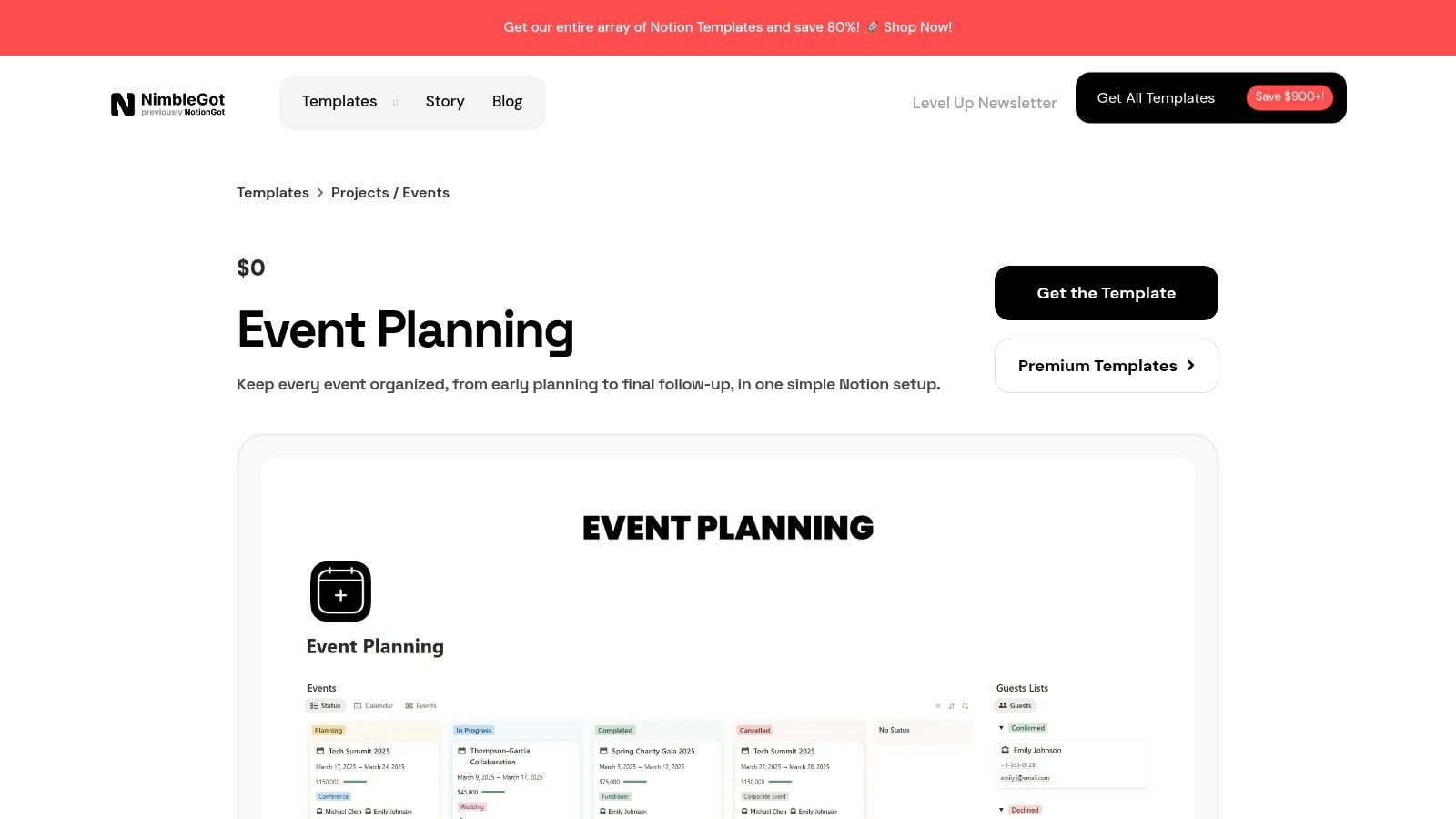
What makes Notion unique is its database-driven approach. A task can be linked directly to a vendor, a budget line item, and a calendar date, creating powerful, relational views. This is ideal for managing complex, recurring events where reusing databases and processes saves significant time. While there's a learning curve for those new to Notion, the high degree of customization is unparalleled for teams wanting total control.
✦Leveraging Notion Templates for Team Events
To maximize these templates, treat them as a central command center. Assign team members to specific tasks directly within Notion and use its calendar view to track major milestones. The best templates come pre-configured with views for budgets, timelines, and vendor management, so you can get started immediately. Remember that the platform’s power lies in its flexibility, so don't hesitate to add or modify properties to fit your specific event needs.
Pro-Tip: Use Notion as the single source of truth for planning. For companies on Slack and Google Calendar, Be There is a handy tool to manage event communications. Once you've finalized key dates in Notion, use Be There to create corresponding event invitations and reminders directly in Slack. This streamlines RSVP tracking without manual data entry, keeping your team informed where they already work.
- Website: NimbleGot - Free Event Planning Template
- Best For: Teams already using Notion who need an all-in-one, database-driven planning hub.
- Pricing: Many free templates available; premium packs are typically a one-time purchase from $10–$99.
- Formats: Notion.
Top 12 Event Planning Templates & Checklists Comparison
| Solution | Core features | UX / Quality | Value & Price | 👥 Target audience | ✨ Unique selling points |
|---|---|---|---|---|---|
| Etsy | Instant-download templates (PDF/Canva/Sheets) | ★★★ (varies by seller) | 💰 Very low-cost ($1–$12 typical) | 👥 DIY planners, niche/themed events | ✨ Huge variety, niche themes, instant access |
| Amazon | Physical planners, Kindle & printables | ★★★★ (fast shipping & returns) | 💰 Wide price range; Prime benefits | 👥 Buyers preferring physical books or quick delivery | ✨ Fast delivery, easy returns |
| Canva | Drag‑and‑drop templates, branding, export | ★★★★ (design-first, easy) | 💰 Free tier; Pro for premium assets | 👥 Marketers, designers, branded checklists | ✨ Quick branding + print/digital export |
| ClickUp (Templates) | Event templates inside PM app, automations, multi-view | ★★★★★ (collaboration & tracking) | 💰 Robust free tier; scales by seats | 👥 Ops, event teams needing PM power | ✨ Automations + Gantt/Calendar/Docs; 🏆 collaboration depth |
| monday.com (Templates) | Visual boards, timelines, forms, automations | ★★★★★ (visual & customizable) | 💰 Paid per seat; best value on paid plans | 👥 Cross-functional teams, large event programs | ✨ Dashboards, RSVP forms, rich integrations; 🏆 visual coordination |
| Asana (Templates) | Timeline, dependencies, vendor & budget tracking | ★★★★★ (structured for complex events) | 💰 Free template; Premium features paid | 👥 Complex/multi-phase event teams | ✨ Dependency & milestone management; 🏆 project rigor |
| Trello (Template Gallery) | Kanban boards, card checklists, Butler automations | ★★★★ (simple, accessible) | 💰 Free tier; Power‑Ups add cost | 👥 Volunteers, small teams, lightweight planners | ✨ Fast setup, flexible Kanban workflow |
| TeamGantt | Drag‑drop Gantt, task lists, calendar views | ★★★★ (scheduling-first clarity) | 💰 Free templates; paid for full collaboration | 👥 Timeline-focused planners, PMs | ✨ Clear Gantt for time-bound events |
| Vertex42 | Excel & Google Sheets templates (budgets, guest lists) | ★★★★ (well-structured spreadsheets) | 💰 Mostly free or low-cost downloads | 👥 Spreadsheet users, budget-focused planners | ✨ Strong budget/guest-list templates |
| Template.net | Editable Word/Docs/PDF checklists, categorized bundles | ★★★★ (professional formatting) | 💰 Mix of free & Pro subscription | 👥 Corporate planners, vendors, client-facing teams | ✨ Client-ready docs & categorized templates |
| Eventbrite Resources | Guides, master checklist, articles & best practices | ★★★★ (reputable, actionable) | 💰 Free guidance; pairs with Eventbrite tools | 👥 New planners, organizers using ticketing | ✨ Comprehensive how‑to + ticketing integration |
| Notion templates (NimbleGot/Notionland) | Notion databases for tasks, budgets, RSVPs, timelines | ★★★★ (powerful if familiar) | 💰 Free options; premium packs $10–$99 one-time | 👥 Notion users, recurring-event operators | ✨ Database-driven consolidation & reusable workflows |
Bringing It All Together: From Checklists to Seamless Execution with Be There
Navigating the world of event planning can feel overwhelming, but as we've explored, you don't have to start from scratch. From the versatile project management powerhouses like Asana and Trello to specialized resources like Eventbrite and the highly customizable worlds of Canva and Notion, the right foundation is out there. Each of these platforms offers a unique set of event planning templates checklists designed to bring order to the chaos, ensuring no critical detail is overlooked.
We've seen how tools like ClickUp and monday.com provide robust, scalable frameworks for complex corporate events, while simpler solutions from Etsy or Vertex42 offer straightforward, downloadable checklists for smaller, more intimate gatherings. The key takeaway is that a template is more than just a list; it's a strategic blueprint that saves you time, reduces stress, and standardizes your process for repeatable success.
✦From Static Plan to Dynamic Action
The true challenge, however, isn’t just finding the perfect template. It's integrating that blueprint into the living, breathing workflow of your team. A checklist sitting in a Google Sheet or a Trello board is only effective if it's actively used and visible where your team communicates. This is often where the process breaks down.
For modern organizations that rely on Slack and Google Calendar, the friction of switching between a static checklist, your communication hub, and your scheduling tool can lead to missed deadlines and manual errors. This is the critical gap where planning meets execution, and it’s precisely why Be There is so useful and handy for these companies.
✦The Be There Advantage: Activating Your Checklists in Slack
Imagine taking the core action items from your chosen template, like "Send final reminder email" or "Confirm vendor arrival times," and embedding them directly into an automated event workflow inside Slack. Be There transforms your static event planning templates checklists into dynamic, actionable events.
Instead of manually tracking RSVPs in a spreadsheet and cross-referencing it with calendar invites, companies who use both Slack and Google Calendar internally find Be There very handy because you can:
- Publish an Event Directly in Slack: Create a beautiful, engaging event announcement that your team can see and interact with instantly.
- Manage RSVPs Seamlessly: Team members can respond with a single click, and you get a real-time headcount without leaving the channel.
- Automate Reminders: Schedule automated pings and updates based on the timeline from your checklist, ensuring everyone has the information they need, right when they need it.
- Sync with Google Calendar: Every event created with Be There automatically syncs to your team's Google Calendars, eliminating scheduling conflicts and the need for duplicate entries.
This synergy bridges the gap between your well-laid plans and flawless execution. It centralizes communication, boosts event visibility, and drives engagement by meeting your team where they already work. When transforming your event planning checklists into seamless execution, don't overlook the role of effective event marketing strategies to maximize your reach.
Ultimately, the best tool is the one that fits your specific needs. By combining the strategic guidance of the templates we've covered with the powerful, integrated execution offered by Be There, you create an unstoppable event management system. You move from simply planning events to creating memorable experiences that strengthen your company culture and bring your team closer together.
Ready to turn your checklists into engaging, automated events right inside Slack? See how Be There bridges the gap between planning and execution for teams on Slack and Google Calendar. Try Be There today and discover a smarter way to manage your company events.
Share this post

Planning your internal events has never been easier!
No more scheduling headaches—our Slack-connected web app keeps things simple. Less email, more fun! 🚀
 Prefer a quick walkthrough?