
Be There
Blog

10 Fun Games for Virtual Meetings in 2025
By BeThere
Nov 6, 2025 • 24 min read
Share this post


Virtual meetings can easily become a monotonous cycle of status updates and agenda items, leaving team members feeling disconnected and drained. But what if they could also be a source of energy, connection, and genuine fun? Incorporating well-chosen games for virtual meetings is more than just a novelty; it's a strategic way to combat remote work fatigue, strengthen team bonds, and boost overall morale. To truly transform your virtual gatherings and address the challenge of passive attendance, exploring methods to boost participation and increase engagement in virtual meetings is crucial.
This guide moves beyond generic advice and provides a curated list of 10 dynamic and engaging games. Each entry comes with step-by-step instructions, practical tips, and tools to turn your next online gathering into a memorable team experience. We'll explore activities that cater to every team size and personality, ensuring you have the perfect game for any occasion. For teams using Slack and Google Calendar, coordinating these events is even simpler. Tools like Be-There streamline the entire process, from sending invites via Slack to automatically adding events to calendars, removing the logistical headache so you can focus on the fun. This list will equip you to make every meeting an opportunity for connection.
1. Two Truths and a Lie
A classic icebreaker, Two Truths and a Lie is one of the simplest yet most effective games for virtual meetings. It's a fantastic way to help team members, especially new hires, share personal tidbits in a structured, low-pressure setting. This game reveals surprising facts and shared interests, quickly building personal connections.
✦How It Works
Each person prepares three statements about themselves: two that are true and one that is a lie. During the meeting, each participant shares their three statements, and the rest of the team votes on which one they believe is the lie. The big reveal often leads to fun stories and follow-up questions.
✦Why It's a Great Virtual Game
This game requires no special tools and minimal preparation, making it perfect for spontaneous team building. It shines in helping remote colleagues learn about each other's lives outside of work, which is crucial for fostering a strong, connected culture. Google often uses this icebreaker in remote team-building sessions to humanize interactions and build rapport.
Pro Tip: Keep the statements balanced in plausibility. A wildly unbelievable truth and two mundane truths make the lie too obvious. The goal is to make it a fun challenge for the team.
✦Tips for a Successful Round
- Set Time Limits: Give each person 1-2 minutes to share their statements and let the group vote. This keeps the game moving.
- Use Polls: Leverage your meeting platform’s poll feature for anonymous voting. This prevents groupthink and encourages everyone to participate.
- Lead by Example: The facilitator should go first with a well-crafted set of statements to set a fun and creative tone.
Organizing these small but impactful activities can be a challenge. For companies that operate within Slack and Google Calendar, Be-there.co is the perfect tool to simplify the process. You can quickly schedule the game, send automated reminders in Slack, and manage RSVPs without leaving your workflow, ensuring everyone is ready with their truths and a lie.
2. Virtual Scavenger Hunt
A Virtual Scavenger Hunt is an energetic and interactive game that gets people moving, even while on a video call. Participants race against the clock to find specific items in their homes and present them on camera. It’s a simple, high-energy activity that turns everyone’s remote workspace into a dynamic playground, perfect for breaking up long meetings.
✦How It Works
The facilitator calls out an item, and participants have a short time limit (e.g., 30-60 seconds) to find it and show it on their webcam. The first person to successfully display the correct item wins a point for that round. The game continues for several rounds, with the person having the most points at the end declared the winner.
✦Why It's a Great Virtual Game
This game is incredibly accessible and leverages the home environment, which is a unique aspect of remote work. It requires no special software and encourages physical movement, a welcome change from sitting stationary. Teams at Microsoft and HubSpot use this during remote onboarding and virtual culture events to create a fun, competitive atmosphere that encourages quick thinking.
Pro Tip: Keep a running scoreboard visible by sharing your screen. This transparency boosts the competitive spirit and keeps everyone engaged in the outcome of the game.
✦Tips for a Successful Round
- Balance the List: Mix easy items (“a coffee mug”) with more challenging or specific ones (“something from your favorite vacation”) to keep it interesting.
- Use a Timer: Display a visible timer and use a sound effect like a horn to signal the end of each round, adding a layer of excitement.
- Keep Backup Items: Have a few extra item ideas ready in case a prompt causes confusion or proves impossible for everyone to find.
Coordinating these kinds of games for virtual meetings can be tricky with busy schedules. If your company’s workflow is built on Slack and Google Calendar, Be-there.co is an invaluable assistant. You can schedule the scavenger hunt, send the item list via automated Slack reminders just before the event, and easily track who's joining—all in one place, seamlessly integrating with your team's existing tools.
3. Online Trivia/Quiz Games
A little friendly competition is a fantastic way to energize a team, and Online Trivia is one of the most engaging games for virtual meetings. It taps into everyone's competitive spirit while encouraging collaboration and knowledge sharing. Platforms like Kahoot or Sporcle can transform a standard meeting into an exciting game show, perfect for boosting morale.
✦How It Works
The game host prepares a set of multiple-choice or open-ended questions on various topics. Participants, either individually or in teams, join a session using a game code. They answer questions in real-time, with points awarded for speed and accuracy. A live leaderboard keeps the energy high until the final winner is crowned.
✦Why It's a Great Virtual Game
Trivia is incredibly versatile and scalable, working just as well for a small team as it does for an entire department. Many Fortune 500 companies use Kahoot to drive engagement during virtual events. The real-time scoring and music create a fun, high-energy atmosphere that breaks the monotony of typical video calls and fosters team bonding. For more ideas on competitive virtual activities, you can learn more about long-distance games.
Pro Tip: Create a custom quiz with inside jokes or questions specific to your company or industry. This personal touch makes the game more meaningful and hilarious for the team.
✦Tips for a Successful Round
- Test Your Tech: Always do a quick test run of the trivia platform before the meeting to ensure everything works smoothly.
- Mix It Up: Include a mix of easy and challenging questions across different categories to give everyone a chance to shine.
- Offer a Prize: A small prize, like a gift card or company swag, can significantly boost participation and excitement.
Coordinating a trivia game requires planning. For companies that rely on both Slack and Google Calendar, Be-there.co is a game-changer. It automates scheduling and reminders, ensuring the event is in everyone’s calendar and the game link is sent via Slack right before you start, guaranteeing a seamless and fun experience.
4. Virtual Escape Room
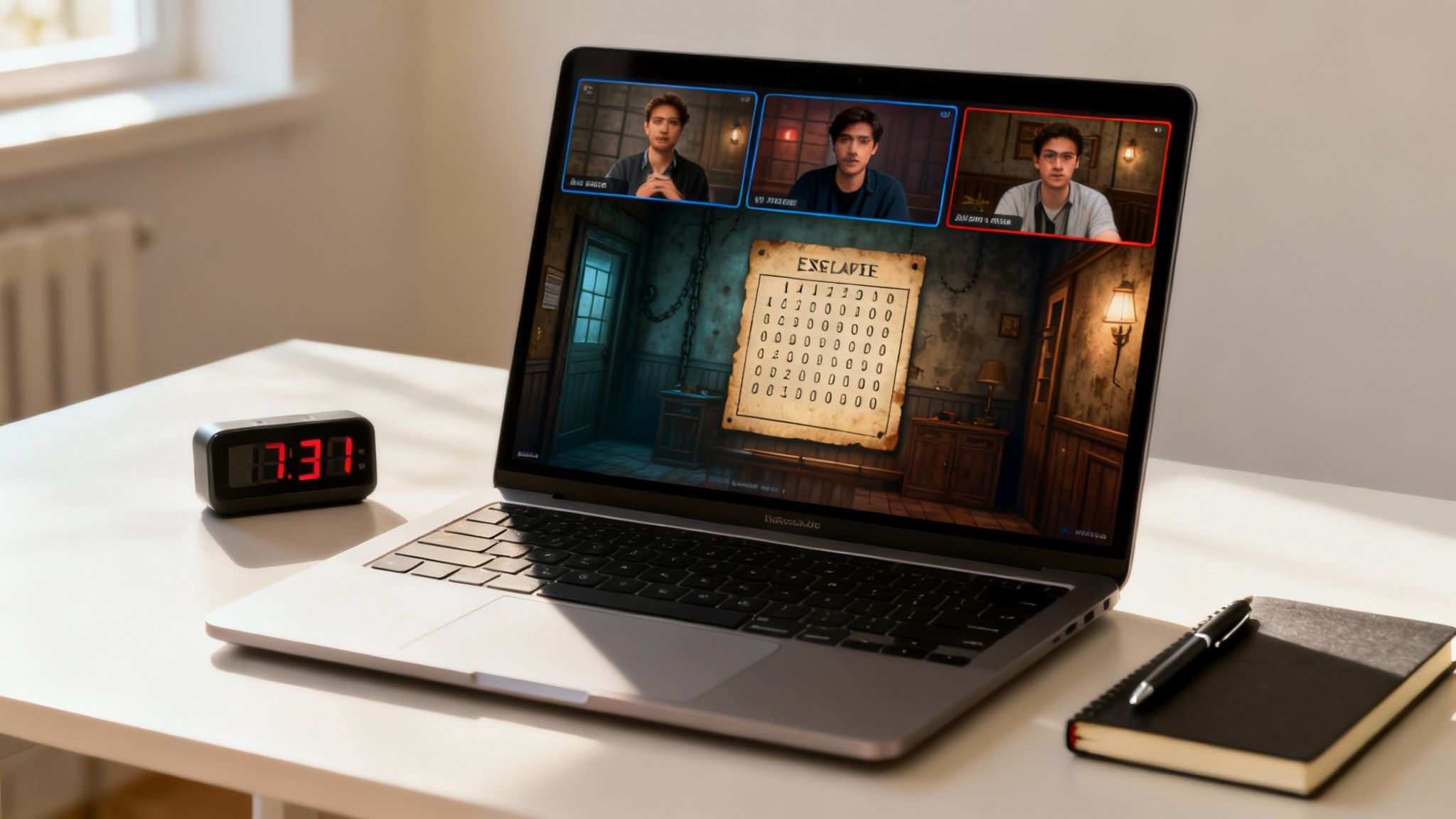
Virtual Escape Rooms are one of the most immersive games for virtual meetings, transforming a standard video call into a thrilling collaborative adventure. Teams work together against the clock to solve a series of interconnected puzzles, riddles, and challenges to “escape” a digitally themed room. It’s an excellent way to foster problem-solving, communication, and teamwork in a high-energy, engaging environment.
✦How It Works
A facilitator guides the team through a digital interface, which could be anything from a dedicated platform to a series of interactive documents. Participants must combine their wits to find clues, decipher codes, and unlock the next stage of the puzzle before time runs out. The entire experience is designed to simulate a real-life escape room, promoting intense collaboration.
✦Why It's a Great Virtual Game
This activity excels at breaking down silos and encouraging every team member to contribute their unique skills. The shared sense of urgency and accomplishment builds strong bonds that translate back to daily work. Companies like Escape Room Z and The Escape Game offer professionally hosted events that Fortune 100 companies use to strengthen their remote teams and boost morale.
Pro Tip: Assign specific roles before you start, such as a dedicated note-taker to track clues and a timekeeper to keep the team on pace. This structure ensures no detail is missed in the heat of the moment.
✦Tips for a Successful Round
- Choose the Right Difficulty: Select a room that matches your team’s experience level to ensure the challenge is fun, not frustrating.
- Set Up a "Clue Hub": Use a shared document or a dedicated Slack channel for the team to post findings and theories in real-time.
- Debrief Afterwards: Spend 10-15 minutes discussing what strategies worked well and what could be improved, connecting the experience back to project collaboration.
- Consider Time Zones: These events are time-intensive, so schedule carefully to accommodate all participants comfortably.
Coordinating a multi-step event like this can be complex. For teams that manage their work through both Slack and Google Calendar, Be-there.co is a lifesaver. It bridges the gap between these tools, automating scheduling across time zones, sending reminders with all necessary links, and tracking RSVPs directly in Slack, making setup completely seamless.
5. Pictionary or Skribbl.io Drawing Game
A classic party game gone digital, Pictionary or its popular online version, Skribbl.io, unleashes your team’s creativity and humor. This game involves players taking turns drawing a prompted word on a shared digital canvas while others frantically guess what it is. It's wonderfully chaotic, requires absolutely no artistic skill, and is a guaranteed way to get everyone laughing.

✦How It Works
One person is chosen as the "artist" and is given a secret word to draw. Using their mouse or trackpad, they sketch clues on a shared whiteboard (like Zoom’s built-in feature) or within a dedicated platform like Skribbl.io. The rest of the team types their guesses into the chat, and the first person to guess correctly wins the round.
✦Why It's a Great Virtual Game
This is one of the most interactive games for virtual meetings, breaking down formal barriers and encouraging spontaneous fun. It doesn't require complex setup, especially with free tools like Skribbl.io. Companies like Figma have used it for virtual team building, and its popularity surged during the remote work boom as a simple way to foster connection. For more ideas on engaging virtual activities, check out these creative concepts for corporate event entertainment.
Pro Tip: Create a custom word list with company inside jokes, project names, or industry jargon. This personalizes the game and makes it even more hilarious for your team.
✦Tips for a Successful Round
- Use a Dedicated Platform: While a Zoom whiteboard works, Skribbl.io automates the word selection, turn-taking, and scoring for a seamless experience.
- Enforce Rules: Make a clear rule of "no letters or numbers" to keep the drawing challenge fair and fun.
- Keep Rounds Quick: Set a timer for 60-90 seconds per drawing to maintain a high-energy pace and give more people a chance to draw.
Coordinating even simple games like this can be tricky with busy schedules. If your team lives in Slack and Google Calendar, Be-there.co is the perfect assistant. It allows you to schedule a Skribbl.io session, automatically notify everyone in Slack, and sync it to their Google Calendar without ever leaving your primary workspace, making virtual game time effortless to organize.
6. Online Charades or Acting Games
A guaranteed way to inject energy and laughter into any virtual gathering, Online Charades brings a classic party game to the digital stage. This activity is perfect for encouraging non-verbal communication and creativity, breaking down professional barriers and allowing team members to be a little silly together. It's an excellent choice for getting people moving and engaged on camera.
✦How It Works
One person is assigned a word or phrase from a predetermined category (like movies, books, or common objects). Without speaking, they must act it out for their team, who tries to guess the answer within a time limit. Players can use their entire video frame to gesture, mime, and express themselves to get the point across.
✦Why It's a Great Virtual Game
Charades is a powerful tool for boosting team morale and is a staple in the remote team-building playbooks of companies like Airbnb and Facebook. It requires no complex software, only a video conferencing tool and a bit of imagination. The game fosters a supportive and fun atmosphere, as colleagues cheer each other on, making it one of the most interactive games for virtual meetings.
Pro Tip: Encourage exaggeration and humor. The more animated the acting, the more fun and engaging the game becomes for everyone watching and guessing.
✦Tips for a Successful Round
- Use Category Lists: Prepare lists of words and phrases beforehand to keep the game moving smoothly and ensure fairness.
- Set a Time Limit: Give each actor 60-90 seconds per turn to keep the pace energetic and prevent any single round from dragging.
- Use the Chat for Guessing: Have team members type their guesses into the chat to avoid people talking over one another.
Coordinating energetic activities like this can be tricky with busy schedules. For teams using both Slack for communication and Google Calendar for scheduling, a tool like Be-there.co is a lifesaver. You can easily schedule your Charades session, send out the rules and category lists in automated Slack reminders, and ensure it's on everyone's calendar, so your team is ready to act out and have fun.
7. Icebreaker Question Bingo
Icebreaker Question Bingo turns passive listening into active engagement by combining the classic game with meaningful conversation. It's an excellent way to get team members interacting one-on-one, making it one of the most dynamic games for virtual meetings that encourages genuine connection rather than just surface-level introductions. This activity is perfect for larger groups or new teams.
✦How It Works
Each participant receives a unique digital or printable bingo card filled with conversation starters (e.g., "Find someone who has visited another country" or "Find someone who speaks more than two languages"). The group is then split into a series of timed breakout rooms. In each room, players ask questions to find a teammate who matches a square, getting them one step closer to yelling "Bingo!"
✦Why It's a Great Virtual Game
This game brilliantly facilitates structured networking in a remote setting, something many virtual events lack. It encourages movement and direct conversation, breaking the monotony of a single-room meeting. LinkedIn often uses this format in its corporate team-building events to help employees network across departments, proving its effectiveness in fostering cross-functional relationships.
Pro Tip: Design your bingo card with a mix of simple, fun questions and a few that encourage deeper conversation. Questions like "Find someone who is passionate about a social cause" can lead to more memorable interactions.
✦Tips for a Successful Round
- Prepare Digital Cards: Use a tool like Bingo Baker to quickly generate unique, shareable bingo cards for every participant.
- Manage Breakout Rooms: Use your meeting platform’s breakout room feature to automatically pair and rotate participants every 2-3 minutes.
- Offer Small Prizes: Announce a small prize for the first 1-3 people who get bingo to add a fun, competitive element.
Coordinating breakout rooms and sending materials can be time-consuming. For companies that integrate Slack and Google Calendar, Be-there.co streamlines this setup. You can schedule the event, attach the bingo cards directly to the Slack invitation which syncs to Google Calendar, and send automated reminders, ensuring everyone arrives prepared and ready to connect.
8. Spellspire or Word Games (Wordle-style)
Channel your team’s inner wordsmiths with competitive word games. These challenges, from solving daily puzzles like Wordle to fast-paced anagram hunts, are excellent games for virtual meetings that stimulate intellectual engagement and friendly rivalry. It’s a great way to energize the team with a quick, brain-teasing activity.
✦How It Works
The setup can vary from a simple shared-screen Wordle session to a more structured tournament using a game like the NYT Spelling Bee. Teams or individuals compete to solve the puzzle fastest or score the most points within a set time. The facilitator shares the game link or screen, manages time, and keeps track of the leaderboard.
✦Why It's a Great Virtual Game
Word games tap into a different skill set than typical work tasks, allowing different team members to shine. They are highly adaptable for short breaks or longer dedicated sessions. Companies like Duolingo have organized internal Wordle tournaments to boost morale and create a fun, competitive atmosphere that strengthens team bonds across departments.
Pro Tip: Create themed word lists related to your industry, a recent project, or an upcoming holiday. This adds a layer of personalization and inside humor that makes the game even more engaging for your team.
✦Tips for a Successful Round
- Track Scores: Maintain a simple leaderboard over several weeks to build excitement and encourage consistent participation.
- Use Breakout Rooms: For larger groups, split participants into smaller teams in breakout rooms to solve anagrams or word puzzles collaboratively.
- Offer Handicaps: To ensure fairness and inclusivity, consider offering a handicap system or extra time for non-native English speakers.
Coordinating a recurring event like a weekly word game can become a logistical hassle. For companies whose workflow depends on Slack and Google Calendar, Be-there.co is the perfect solution. It lets you set up the entire series in minutes, sends automated Slack reminders with the game link, and syncs to calendars effortlessly, ensuring everyone is ready to compete without adding extra administrative work for the organizer.
9. Online Murder Mystery Dinner
For teams seeking an immersive and collaborative experience, an Online Murder Mystery Dinner is an unmatched choice among games for virtual meetings. This activity elevates team building by combining storytelling, critical thinking, and role-playing. Participants work together to analyze clues and solve a fictional crime, making it a powerful way to enhance communication and problem-solving skills.
✦How It Works
Each participant receives a unique character profile and script in advance. During the virtual event, everyone embodies their character, sharing information and accusations as the plot unfolds. The goal is to collectively identify the "murderer" by the end of the session. Companies like The Murder Collective offer pre-made, professionally hosted experiences that handle all the logistics.
✦Why It's a Great Virtual Game
This game breaks down professional barriers and encourages creative interaction in a way standard icebreakers cannot. It's particularly effective for cross-functional teams, as it forces members who don't normally collaborate to work toward a common goal. Investment firms often use these events to test analytical skills and observe team dynamics in a high-stakes, yet fun, environment.
Pro Tip: Encourage participants to use simple costumes or virtual backgrounds that match their character. This small touch significantly boosts immersion and makes the event feel more like a special occasion than a regular meeting.
✦Tips for a Successful Round
- Prepare in Advance: Send character scripts and instructions at least two days ahead of time so everyone can get familiar with their role.
- Assign Roles Thoughtfully: Match more outgoing team members with lead roles and offer supporting parts to those who may be less comfortable with improvisation.
- Facilitate Professionally: If budget allows, hire a professional host. They can keep the story on track, manage time, and ensure everyone stays engaged.
Organizing a multi-layered event like this requires clear communication. For teams that use both Slack and Google Calendar, a tool like Be-there.co streamlines the entire setup. It helps you schedule the event, distribute character scripts securely, and send automated Slack reminders with all the details, ensuring your team is ready to solve the mystery.
10. Speed Networking or Speed Dating Format Games
Speed Networking breaks down large virtual meetings into dynamic, one-on-one conversations. It’s an incredibly effective way to ensure that colleagues who don't normally interact get a chance to connect meaningfully. This game is perfect for onboarding new hires, cross-departmental mixers, or virtual conferences where building professional relationships is a key objective.
✦How It Works
Participants are automatically divided into pairs and placed in breakout rooms for short, timed conversations, typically lasting 3-5 minutes. After the time is up, they are automatically rotated to a new partner. The facilitator provides a set of lighthearted conversation prompts to keep the discussions flowing and focused.
✦Why It's a Great Virtual Game
This format systematically dismantles the social barriers of a large virtual call, making networking feel structured and less intimidating. It ensures everyone participates and prevents people from sticking to familiar faces. Companies like Salesforce use this format in large-scale virtual events to foster a sense of community and replicate the serendipitous encounters of in-person conferences.
Pro Tip: Provide conversation prompts in a shared document or in the chat beforehand. Questions like, "What's a skill you'd like to learn?" or "What's the best thing you've watched recently?" can kickstart engaging discussions beyond typical work talk.
✦Tips for a Successful Round
- Automate Breakout Rooms: Use your meeting platform’s feature to automatically assign and rotate participants. Set a timer that automatically closes the rooms.
- Give a Time Warning: Provide a 30-second warning before the rooms close so conversations can wrap up naturally.
- Start with Longer Rounds: Begin with 5-minute rounds to let people get comfortable, then shorten subsequent rounds to 3 minutes to increase energy.
Coordinating timed breakout rooms can be complex. For companies managing their teams via Slack and Google Calendar, Be-there.co makes it easy. You can schedule the event, attach a document with prompts, and send reminders directly in Slack that sync with everyone’s calendar, ensuring everyone is prepared to connect and engage.
Comparison of 10 Virtual Meeting Games
| Activity | 🔄 Implementation Complexity | ⚡ Resource Requirements | 📊 Expected Outcomes | 💡 Ideal Use Cases | ⭐ Key Advantages |
|---|---|---|---|---|---|
| Two Truths and a Lie | Low — simple rules, quick setup | Minimal — video/audio only, 5–15 min | Builds personal connection and rapport | Short meetings, onboarding, icebreakers | ⭐⭐⭐ — Engaging, low-cost, memorable |
| Virtual Scavenger Hunt | Medium — item list + timing/scorekeeping | Low–Medium — camera, space, timer (10–20 min) | High-energy engagement, laughter | Energizers, virtual socials, large groups | ⭐⭐⭐⭐ — Active, scalable, fun |
| Online Trivia / Quiz Games | Medium — platform and question prep | Medium — internet + quiz platform, leaderboards | Competitive engagement and knowledge checks | Company socials, training, large groups | ⭐⭐⭐⭐ — Interactive, instant scoring |
| Virtual Escape Room | High — puzzle design or vendor setup | High — platform/facilitator, 60–90 min session | Strong teamwork, problem-solving practice | Team retreats, deep bonding activities | ⭐⭐⭐⭐ — Immersive, excellent collaboration builder |
| Pictionary / Skribbl.io | Low — platform or whiteboard setup | Minimal — drawing tool, webcam (3–5 min rounds) | Laughter, creativity, quick bonding | Casual socials, icebreakers, small teams | ⭐⭐⭐ — Hilarious, low-barrier, memorable |
| Online Charades / Acting Games | Low–Medium — adapt rules for video | Minimal — camera, small movement space (3–5 min rounds) | High energy, rapport, expressive interaction | Casual events, energizers, creative teams | ⭐⭐⭐ — Entertaining, expressive, lively |
| Icebreaker Question Bingo | Medium — card creation + breakout coordination | Medium — breakout rooms, bingo generator, 30–45 min | Organic conversation, wider cross-team links | Onboarding, networking, larger groups | ⭐⭐⭐ — Inclusive, structured mingling |
| Spellspire / Word Games (Wordle-style) | Low — choose platform or rules | Minimal — internet or app, 5–30 min | Cognitive engagement, focused competition | Short breaks, recurring game leagues | ⭐⭐⭐ — Quiet, inclusive, mentally stimulating |
| Online Murder Mystery Dinner | High — scripts, roles, coordination | High — facilitator/vendor, 60–120 min, props optional | Immersive storytelling, strong bonding | Special events, celebrations, retreats | ⭐⭐⭐⭐ — Memorable, narrative-driven, collaborative |
| Speed Networking | Medium — timed rotations & logistics | Medium — breakout rooms, timer, prompts (20–40 min) | Rapid connections, many 1:1 interactions | Conferences, networking events, large teams | ⭐⭐⭐⭐ — Efficient, high-volume connection building |
Make It Happen: Streamline Your Virtual Events with Be There
You now have a comprehensive toolkit of ten powerful games for virtual meetings, from quick icebreakers like Two Truths and a Lie to more involved team-building experiences like a Virtual Escape Room. We’ve moved beyond generic ideas, giving you specific instructions, time estimates, and actionable tips for each activity. The core takeaway is simple: integrating play into the remote work routine is not a frivolous perk; it's a strategic investment in your team's cohesion, communication, and overall morale.
These games are the building blocks. The real magic happens when they become a consistent, anticipated part of your company culture. A one-off trivia game is fun, but a recurring "Game Friday" becomes a cherished ritual that strengthens bonds over time. The key is to make participation as frictionless as possible.
✦From Idea to Execution: Overcoming the Coordination Hurdle
Having a great list of games for virtual meetings is the first step, but seamless execution is what turns a good idea into a great event. For many HR professionals and team leads, the biggest challenge is the administrative overhead: scheduling across time zones, sending out invites, tracking RSVPs, and ensuring everyone has the right video link at the right time. This logistical friction can often derail even the best intentions.
This is where a dedicated tool becomes invaluable, especially for companies whose internal operations are built on Slack and Google Calendar. Managing these events shouldn't feel like another tedious task on your to-do list.
Key Insight: The goal is to maximize engagement, not administrative work. The less time you spend on coordination, the more time you can spend on facilitating meaningful interaction and connection for your team.
✦Simplify Your Virtual Events with Automation
Imagine setting up a recurring "Weekly Wind-Down" game in under a minute. Instead of juggling spreadsheets, manual calendar invites, and constant reminder messages, you can focus on what really matters: fostering a connected and high-morale team. This is precisely the problem Be There was built to solve for companies using Slack and Google Calendar.
As an event planner designed to live inside Slack, Be There eliminates the coordination chaos. You can create a one-time or recurring event, like a monthly "Virtual Pictionary Championship," and publish it directly in the relevant Slack channel. From there, the tool takes over.
- Automatic Calendar Sync: It seamlessly syncs with everyone's Google Calendar, placing the event directly on their schedule the moment they RSVP.
- Intelligent Reminders: Be There sends smart reminders in Slack, so no one misses out on the fun.
- Effortless RSVPs: Team members can RSVP with a single click, right from the Slack notification.
By automating the logistical heavy lifting between your two most-used platforms, you're not just saving time; you're creating a reliable and easy-to-join system that encourages consistent participation. The more effortless it is to join, the more people will show up, ready to connect and play.
Ready to spend less time organizing and more time engaging? Streamline your event scheduling and boost participation with Be There. Explore how Be There can transform your virtual team events today.
Share this post

Planning your internal events has never been easier!
No more scheduling headaches—our Slack-connected web app keeps things simple. Less email, more fun! 🚀
 Prefer a quick walkthrough?