
Be There
Blog

How to Promote Event: Get Your Team to Attend
By BeThere
Dec 4, 2025 • 16 min read
Share this post


If you want to promote a company event that people actually show up for, you have to do more than just send a single email blast. A truly effective promotion creates a buzz your team can't ignore, and it does that by meeting them where they already are—in tools like Slack and Google Calendar. When you build your promotion right into their daily workflow, an announcement becomes an experience.
Why Your Internal Event Promotion Is Falling Flat
Ever feel like you're planning a party no one's coming to? It's a common feeling. HR pros and team leads spend weeks organizing incredible workshops, all-hands meetings, and team-building events, only to watch the RSVPs come in one by one... if they come in at all. The problem usually isn't the event itself. It's the old-school way it's being promoted.

Think about it: a traditional email announcement is just one more message in an already overflowing inbox. Between calendar clutter and the never-ending stream of notifications, it's easy for your event to get buried. If your invitation isn't immediate, engaging, and dead simple to act on, it's just not going to cut through the noise.
✦The Disconnect Between Announcement and Action
Here’s where things usually break down: bridging the gap between a casual Slack post and a confirmed spot on someone's calendar. You can post a great message in a channel that gets a lot of emoji reactions, but if there isn't a seamless way for people to RSVP and get it on their calendar right then and there, they'll forget. It’s a classic case of "I'll do it later," which usually means "never."
This friction is the enemy of engagement. For companies that run on Slack for communication and Google Calendar for scheduling, this disconnect is especially painful. That’s exactly why a tool like Be There is so useful. It's designed to solve this one specific problem by integrating event creation, RSVP tracking, and calendar syncing right inside Slack. A simple post becomes an actionable event invite in just a couple of clicks. Rethinking your process is a huge part of our guide on internal communication best practices.
The goal is to make saying "yes" to an event as easy as sending an emoji. When the process is frictionless, attendance naturally follows.
Investing in smarter promotion isn't just a "nice-to-have" anymore. Consider this: the global events industry was valued at around $736.8 billion in 2021 and is expected to hit $2.5 trillion by 2035. Marketers are pouring more money into creating memorable experiences, and this applies just as much to internal events. After all, great engagement is the foundation of a vibrant company culture. You can dig into more of these event industry statistics if you're curious.
Building Your Event Promotion Blueprint
Great event promotion isn’t about just sending a single flashy announcement. It's a process that starts with a solid plan. Before you even think about what to post in a Slack channel, you need to lay the groundwork. This crucial planning phase is what separates a well-attended, impactful event from one that feels like a last-minute scramble.
It all starts with a simple question: "Why are we doing this?"
Is the main goal to boost team morale with a fun activity? Are you trying to get everyone aligned on a new quarterly strategy? Or maybe you're celebrating a huge company milestone. Your answer here dictates everything that follows, from the tone of your messages to the channels you use. A casual team-building event will have a completely different promotional vibe than a formal all-hands meeting.
✦Define Your Audience and Key Message
Once you know your goal, zero in on who you need to reach. Is this event just for the marketing team, the entire company, or a welcome for new hires? Tailoring your message to the audience is absolutely key. For example, a message for the engineering team might highlight a technical deep-dive session, while a similar announcement for the sales team would probably focus on new targets and commission structures.
This is also the time to nail down all the essential details. Getting this right from the start prevents a flood of confused DMs later.
- What: The official, can't-be-confused name of the event.
- When: The exact date and time. Don't forget the time zone for remote folks!
- Where: The physical location or the specific meeting link for a virtual event.
- Who: A quick list of key speakers or hosts.
- Why: A single, punchy sentence explaining what's in it for them.
Having this checklist handy ensures every announcement is complete and professional. To make sure you're covering all your bases, think about incorporating a winning multi-channel marketing strategy into your planning.
✦Map Out Your Promotion Timeline
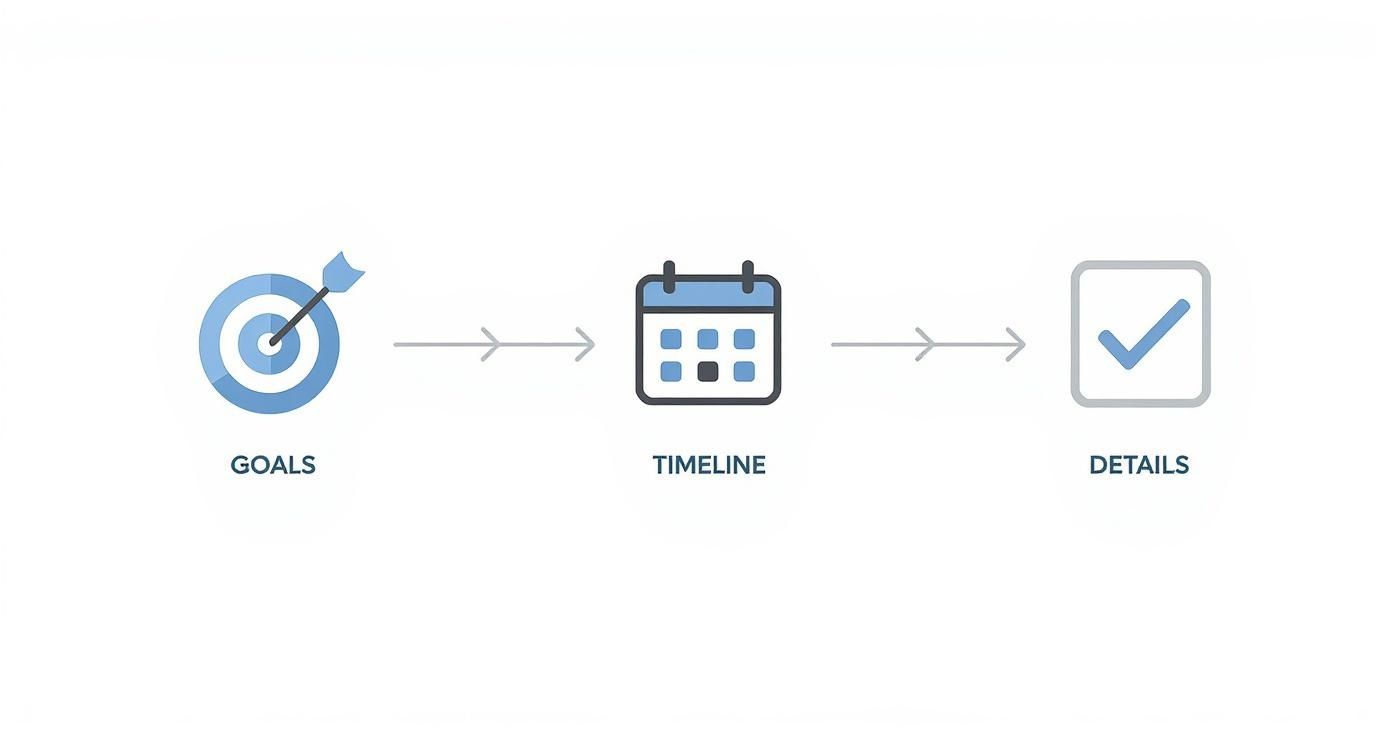
With your goals, audience, and details sorted, it’s time to build a timeline. A promotion calendar simply maps out when you’ll send announcements, reminders, and follow-ups. Spacing out your communications is the secret to building anticipation without overwhelming your team's inboxes and channels.
A well-planned timeline turns event promotion from a one-off task into a sustained campaign. It creates a steady drumbeat of excitement that keeps your event top-of-mind.
A simple timeline might look like this: an initial "save the date" two weeks out, a formal announcement with RSVP details one week later, and a final "see you there!" reminder the day before. For a more detailed approach, check out our complete guide to building an event marketing plan.
This kind of proactive planning is the foundation for boosting attendance and making sure your event gets the turnout it truly deserves.
Using Slack and Google Calendar to Drive Event Attendance
Let's be honest: sending an email about an internal event is like tossing a message in a bottle. It lands in an already overflowing inbox and, more often than not, gets completely ignored. If you want to get your team’s attention, you have to meet them where they already are—and that’s Slack.
This is where real communication happens. It's the perfect place to turn a simple announcement into an invitation that people actually see and act on.
The biggest hurdle has always been connecting that fun, engaging Slack post to a concrete calendar invite. A clever GIF might earn a few emoji reactions, but it doesn't get people to actually show up. That manual step of leaving Slack to add the event to their calendar is where you lose them. Everyone thinks, "I'll RSVP later," and "later" never comes.
✦Closing the Loop Between Your Most-Used Tools
For companies running on Slack for communication and Google Calendar for scheduling, this gap is a constant source of friction. You need to make saying "yes" to an event as easy and instant as sending a Slack message.
This is exactly what a tool like Be There was designed to fix. It acts as a bridge between your team's two most essential apps, closing that frustrating gap. For companies using both platforms, a tool like Be There is incredibly handy; it lets you post an event in Slack that automatically syncs to an employee’s Google Calendar the moment they RSVP.
As you can see, the event creation happens right inside Slack, weaving it seamlessly into your existing workflow. No more asking people to switch apps or hunt for an invite link. This simple change dramatically reduces the friction that kills RSVP rates.
✦How to Write Announcements That Actually Work
The secret to a great Slack announcement? Make it scannable, engaging, and dead simple to act on. Ditch the long paragraphs. Your goal is to deliver quick bites of information that grab attention and lead to a clear action.
Here’s a simple, field-tested template for something like a quarterly town hall:
:loudspeaker: Quarterly Town Hall - Mark Your Calendars! :loudspeaker:
Hey team! Our Q3 Town Hall is just around the corner. Join us to hear from leadership about our latest wins, what's next for the company, and for a live Q&A session.
- :date: Date: Friday, October 25th
- :clock1: Time: 2:00 PM EST / 11:00 AM PST
- :round_pushpin: Location: Main Conference Room & Zoom (Link in invite)
Your voice matters, so please come with questions!
This format is clean, easy to digest, and gives everyone the key details at a glance. When you post this with a tool like Be There, a big "RSVP" button appears right underneath. Employees can confirm and get it on their Google Calendar in one click. No more chasing people down or manually tracking who’s coming.
Making sure everyone’s calendar is aligned is key to a smooth event experience, especially in companies with mixed tech stacks. For instance, getting different calendar apps to play nicely is often a huge pain point. Taking the time to sort out the details of mastering your Outlook Google Calendar sync can be a real game-changer, ensuring no one ever misses an update because of a technicality.
By taking a Slack-first approach, you're not just promoting an event; you're making participation feel effortless. It becomes a natural part of your company's daily conversation.
Automating Reminders to Maximize Attendance
Posting an announcement in Slack is a great first step, but let's be honest—it’s not enough to guarantee people will actually show up. We’ve all seen it happen. Calendars get double-booked, urgent tasks pop up, and even the best intentions get lost in the daily shuffle.
The real trick is turning that initial "yes" on an R.S.V.P. into an engaged employee who is present and ready to participate. This is where smart, automated communication makes all the difference, helping you stay top-of-mind without becoming background noise.
✦Why Automated Workflows Are a Game-Changer
If your company runs on Slack and Google Calendar, you need a bridge between the two. Manually sending reminders is a huge time-sink, and it's frustratingly easy to miss someone. This is where a tool like Be There becomes an indispensable, handy resource for your workflow.
Imagine this: an employee clicks "R.S.V.P." in your Slack announcement, and the event instantly appears on their Google Calendar. But it doesn't stop there. Be There then kicks off a series of perfectly timed reminders sent directly through Slack, all based on a schedule you set. You don't have to lift a finger.
Automation transforms event reminders from a tedious chore into a powerful communication strategy. It ensures everyone gets the right message at the right time, turning passive awareness into active anticipation.
✦Finding the Right Reminder Cadence
So, how often should you ping everyone? There’s a fine line between being helpful and being annoying. After running countless events, I’ve found a simple cadence that builds excitement without overwhelming your team.
Here's a schedule that consistently works well:
- One Week Out: This is your gentle "don't forget" nudge. It’s also a great opportunity to build some hype. Maybe share a sneak peek of the agenda or a quick bio of a special guest.
- One Day Before: This is your most important reminder. It brings the event front and center, helping people plan their workday around it.
- One Hour Before: The final ping. This quick message is surprisingly effective at preventing people from getting pulled into last-minute tasks and completely forgetting. It's an absolute must for virtual events.
With a system like Be There, these reminders go out automatically, freeing you up to focus on the million other details that make an event successful. This deep calendar integration is what makes it all work so smoothly. If you're curious about the nuts and bolts, you can learn more about different Google Calendar sync options and how they function.
By automating these simple touchpoints, you dramatically boost your chances of a full house—whether that’s in a conference room or a Zoom call.
Adapting Your Strategy for Hybrid Events
Let’s be honest: promoting a hybrid or virtual event is a whole different ballgame. You're not just sending out a Zoom link and hoping for the best. After years of back-to-back video calls, everyone has a bit of digital fatigue. Your promotion needs to cut through that noise and prove your event is worth their time.
The real trick is creating an experience that feels just as valuable and seamless for the person joining from their couch as it does for someone in the conference room.
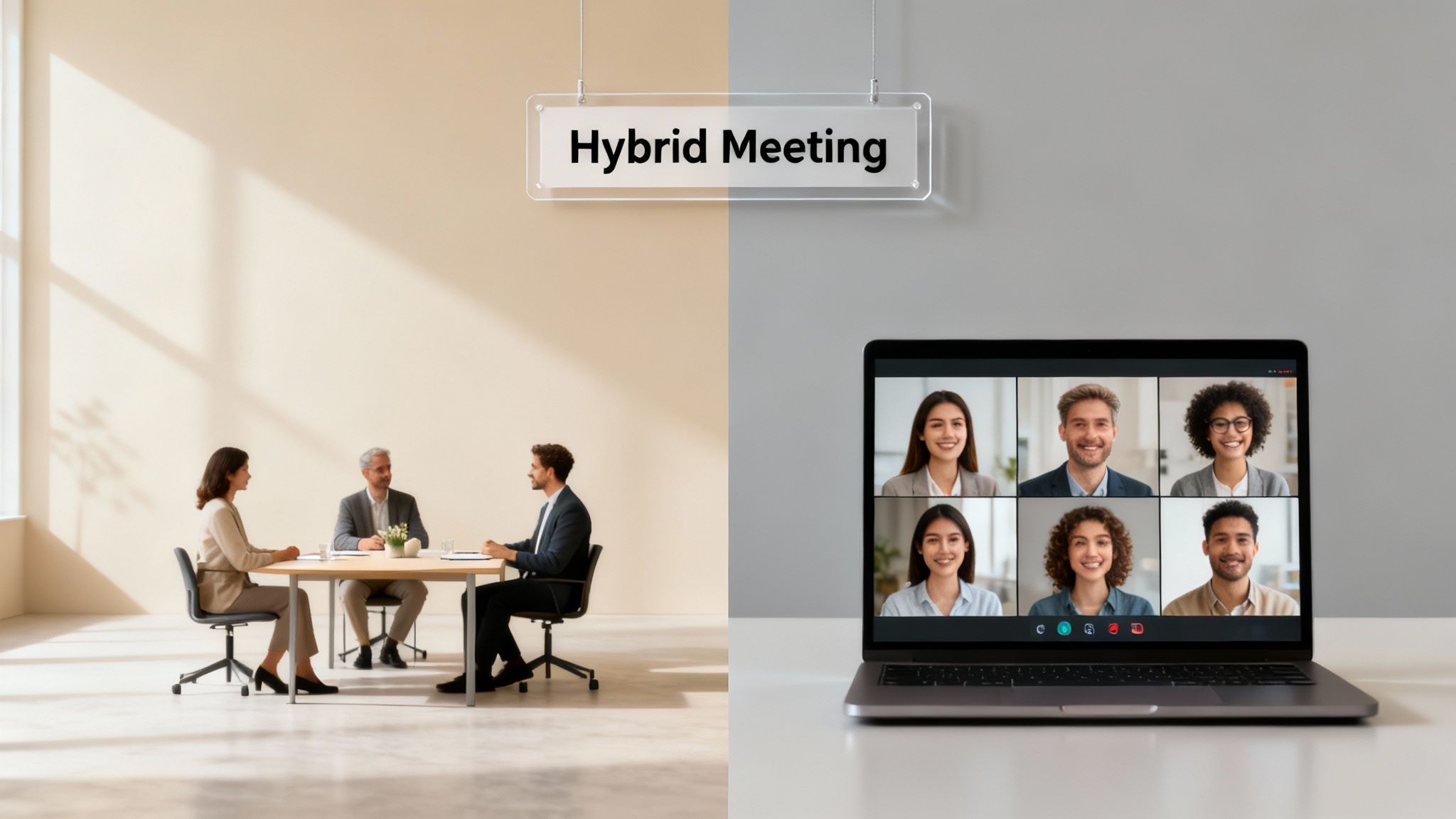
This unified approach has to start from your very first announcement. All your promotional copy, from Slack posts to emails, needs to speak to both audiences at once. It should be instantly clear how each group can join and participate. For your remote crew, this means every link, password, and tech requirement needs to be spelled out with zero ambiguity. One small error here can cause a ripple of frustration before the event even starts.
✦Bridging the Physical and Digital Divide
The single biggest hurdle with hybrid events is making sure remote attendees don't feel like second-class citizens. They need to feel just as involved as the people physically in the room.
This is where companies already using Slack and Google Calendar have a serious leg up, especially when they add the right tools to their stack.
An integrated solution like Be There becomes invaluable in a hybrid setup. For companies that use both Slack and Google Calendar, it's a very useful tool that ensures when an employee RSVPs in Slack, their calendar invite automatically gets the right details—whether that’s a physical room number or a video conference link. This simple step completely removes the risk of sending the wrong information to the wrong group. It creates one source of truth, so everyone knows exactly where they need to be.
For hybrid events, your goal is to create one cohesive experience, not two separate ones. Your promotional tools should support this by centralizing communication and making logistics invisible to the attendee.
This isn't just a "nice-to-have" anymore; it's becoming standard practice. The data backs this up. A massive 74.5% of event planners are planning to incorporate hybrid formats in 2025. On top of that, the virtual event market is on track to more than double by 2029. To stay ahead, your promotion has to be built for these mixed audiences from the ground up. You can dig into more of these event industry trends to see just how critical this is becoming.
✦Practical Tips for Hybrid Event Promotion
To nail your hybrid event, your focus should be on crystal-clear communication and fostering engagement right from the get-go. A few practical moves can make a huge difference.
- Spin up a dedicated Slack channel. Create a temporary channel just for the event. This gives both in-person and remote folks a central place to ask questions, chat, and connect with each other.
- Shout out the virtual perks. In your announcements, make a point to highlight elements designed specifically for the remote audience. Think dedicated virtual Q&A sessions, digital breakout rooms, or exclusive online content.
- Test your tech, then communicate it. Run a full tech rehearsal before the event. Then, clearly communicate what platforms people will need and maybe even provide a quick "how-to" guide for anyone unfamiliar with the tools.
By using a tool like Be There to handle the nitty-gritty of RSVPs and calendar invites, you free up your time to focus on what actually matters: creating a genuinely engaging and inclusive experience for everyone, no matter where they are.
The event might be over, but your job isn't quite done. The real secret to getting better at promoting events is figuring out what actually worked—and what didn't. This is where you trade guesswork for genuine insights, refining your strategy with every event you run.
So, where do you start? Begin with the hard numbers.
Look at your RSVP-to-attendance ratio. This tells you a simple but powerful story: how many people who said they'd come actually showed up? A high ratio is a great sign that your reminders and pre-event hype hit the mark. If it's low, it might be a clue that your final push before the event needed a little more punch.
Next, dig into your engagement data. Which of your Slack announcements sparked the most emoji reactions or replies? Did you notice a jump in RSVPs right after you posted that funny GIF or the last-minute reminder? Tracking these little details helps you build a playbook for what truly grabs your team's attention.
✦Ditch the Manual Data-Wrangling
If your team lives in Slack and Google Calendar, trying to connect the dots between your promotional efforts and who actually attended can feel like a real headache. You’re stuck manually comparing calendar invites with Slack channel activity, a process that’s not only a time-suck but also easy to mess up.
This is where having an integrated tool makes all the difference.
A platform like Be There pulls everything into one place. For companies using both Slack and Google Calendar internally, this kind of unified platform is incredibly handy. Since the RSVPs and reminders are handled right inside Slack and automatically synced to everyone's calendar, you get a single, clear picture. You can instantly see which announcements drove the most sign-ups and how the timing of your reminders affected attendance, all without toggling between a dozen browser tabs.
Measuring success isn't about getting a grade for your last event. It's about finding concrete proof of what works so you can make your next event promotion even better.
When it comes to getting feedback, forget sending out long, formal surveys that everyone ignores. Instead, drop a quick poll right into the relevant Slack channel the day after the event.
Keep it simple and direct. Try asking things like:
- "What was your biggest takeaway from today's workshop?"
- "On a scale of 1-5, how valuable was the all-hands meeting?"
- "What's one thing you'd like to see at our next team social?"
This meets employees right where they're already working, which means you're far more likely to get a response. Combine the insights from these quick polls with the hard attendance data from your promotion tool, and you'll have a complete picture of what went right and a clear path to make the next one even more of a success.
Ready to stop guessing and start building an event promotion strategy that actually works? With Be There, you can manage everything from announcements to reminders and calendar invites directly in Slack, ensuring your team never misses an important event again. See how it works.
Share this post

Planning your internal events has never been easier!
No more scheduling headaches—our Slack-connected web app keeps things simple. Less email, more fun! 🚀
 Prefer a quick walkthrough?