
Be There
Blog

slack for internal communications: Boost Collaboration with Channel & Governance
By BeThere
Dec 7, 2025 • 21 min read
Share this post


Using Slack for internal communications is about so much more than just ditching email. It’s about building a digital home for your company—a place where work gets done faster and your team actually feels like a team. It takes all those scattered conversations and organizes them into neat, searchable channels, making the whole process of working together more open and effective.
Why Slack Is Your Digital Headquarters
Think of your physical office, but online. That’s Slack. It’s a central spot where conversations happen, big decisions get made, and your company culture comes to life. It breaks down the walls between departments that so often slow things down, replacing endless, confusing email chains with real-time conversations anyone can follow.
This shift helps create a more responsive and open workplace. Information isn't locked away in someone's inbox; it’s shared freely in channels dedicated to specific topics or projects. This kind of transparency gives everyone on the team a sense of ownership, helps solve problems quicker, and keeps everybody on the same page. If you're new to the platform, it's worth taking a moment to discover the core aspects of Slack and its benefits.
✦Fostering a More Connected Culture
A well-organized Slack workspace doesn’t just break down professional barriers—it breaks down social ones, too. It creates a space not only for project updates but also for the casual chats and human connections that glue a strong company culture together. This is a game-changer, especially for companies juggling in-person, hybrid, and fully remote teams.
A great internal communication culture always starts at the top. When leaders are active and open on platforms like Slack, it builds trust and creates an environment where people feel genuinely engaged and valued.
✦Bridging the Gap Between Communication and Action
One of the trickiest parts of teamwork is turning a great conversation into a concrete action plan. We've all been there—a fantastic idea gets discussed, but then gets lost in the shuffle. This is especially true for companies where teams live in both Slack and Google Calendar, constantly jumping between the two just to get a meeting on the books. This context-switching kills momentum.
This is where a simple, powerful tool like Be There becomes indispensable. It’s purpose-built for companies that use both Slack and Google Calendar, seamlessly closing the gap between discussion and action. With Be There, you can create Google Calendar events right from a Slack conversation. You can invite the right people from the channel and set up automatic reminders without ever leaving the conversation. It's a small change that ensures the momentum from a discussion immediately turns into a scheduled next step, keeping your projects from stalling out. For more ideas on how this fits into the big picture, check out these internal communication strategy examples.
Building Your Slack Foundation with Strategic Channels
Think of your Slack workspace like a well-designed office. Each channel is a dedicated room with a clear purpose—a meeting room for a specific project, a break room for casual chats, a library for company-wide announcements. This structure keeps conversations from spilling into the hallways and getting lost.
Without a solid plan, using Slack for internal communications can turn into a mess pretty fast. What starts as a powerful tool quickly becomes a source of endless noise. A strategic foundation of channels is what makes the difference, ensuring everyone knows exactly where to find information, ask questions, and get work done.
This isn't just about tidiness; it's about building a productive digital headquarters. It’s a blueprint that helps people navigate conversations intuitively, so they can spend less mental energy figuring out where to talk and more time actually talking.
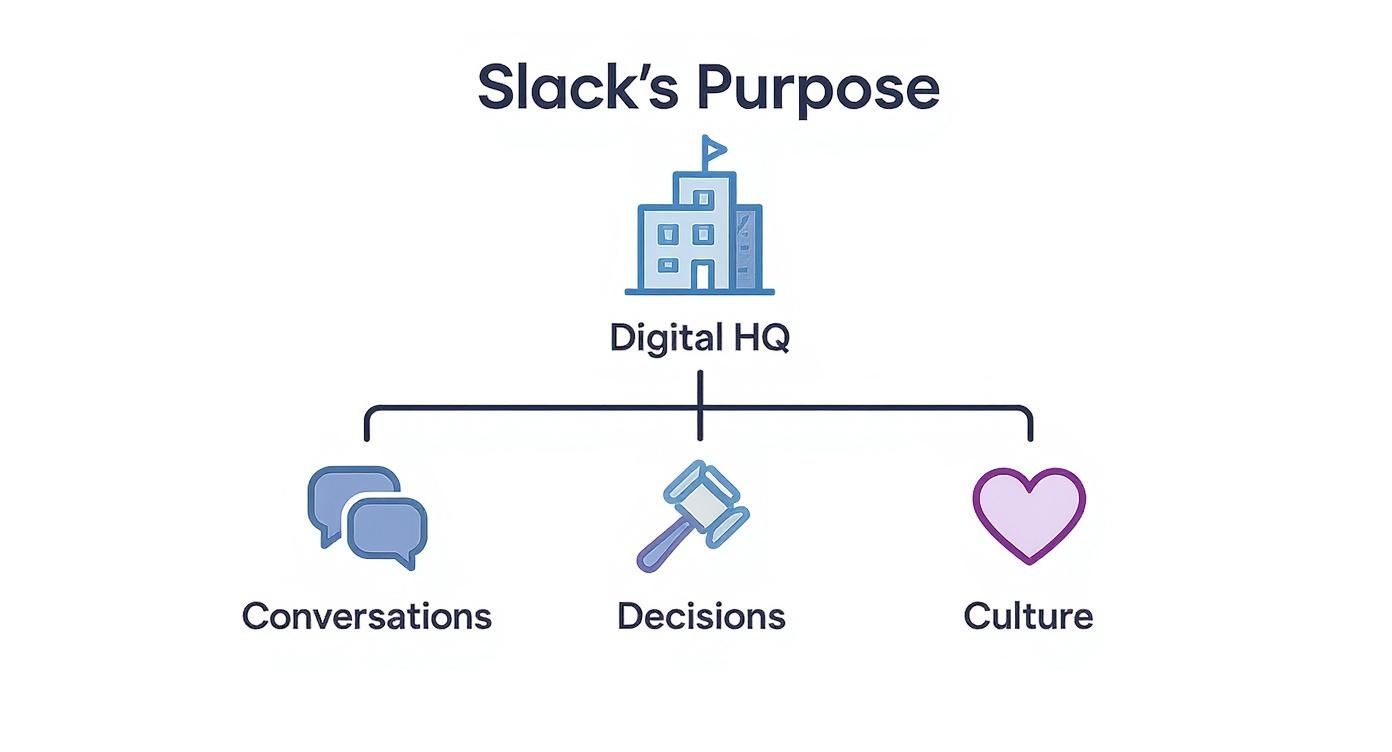
When channels are logical and their purpose is clear, Slack becomes a self-service hub for company knowledge, where conversations drive decisions and build your culture.
✦Creating Your Core Channels
Every company, big or small, needs a set of foundational channels. These are the main arteries of your communication system. Getting them right from the start is the first step to a clutter-free and effective workspace.
Here are the essentials to begin with:
- Company-Wide Channels: These are for broadcasting information to everyone. Think of an
#announcements-globalchannel for official leadership updates and a#social-watercoolerchannel for the non-work banter that helps build community. - Team-Specific Hubs: Give every department its own home base, like
#team-marketingor#team-engineering. This creates a focused space for their daily discussions, file sharing, and project coordination. - Project-Based Rooms: For temporary initiatives, spin up channels with a clear, time-bound purpose. A channel like
#proj-q3-launchis perfect. Once the project is over, you can archive it to keep your workspace tidy.
This simple tiered structure makes sure messages reach the right people, which is the best way to fight the notification fatigue that plagues so many disorganized workspaces.
✦The Power of Smart Naming Conventions
Intuitive channel names are your secret weapon. A new hire should be able to look at the channel list and make a good guess about where to ask a question, no handbook required. A standardized naming convention is how you make that happen.
By establishing predictable channel names, you empower employees to find information on their own. This autonomy reduces interruptions and fosters a more efficient work environment where people can solve problems independently.
A prefix-based system is a fantastic way to bring order to the chaos. Using prefixes like team-, proj-, or social- instantly tells a user what the channel is all about.
Here's a simple template you can adapt to create a logical and scalable channel structure for your own organization.
✦Essential Slack Channel Naming Conventions
| Channel Prefix | Purpose | Example |
|---|---|---|
#announcements- |
For official, company-wide updates. Often read-only for most members. | #announcements-global |
#team- |
A dedicated hub for a specific department's internal conversations and work. | #team-sales |
#proj- |
For collaborating on a specific, time-bound project with a cross-functional group. | #proj-website-redesign |
#social- |
Channels for non-work-related chat to build culture and connections. | #social-pets-of-acme |
#help- |
A designated place to ask for help from a specific team. | #help-it |
This simple logic makes your channel list scannable and, most importantly, scalable. As your company adds more people and projects, this framework prevents a messy free-for-all of duplicate or confusingly named channels.
✦Keeping Channels Clean and Focused
Okay, so you've created your channels. Now what? The real work is in keeping them focused, and two of Slack's most basic features are your best friends here: channel descriptions and threads.
- Write Clear Channel Descriptions: The description is the first thing someone sees when they join a channel. Use it to spell out the purpose, tag key stakeholders, and pin any important documents or links. Make it a mini-onboarding guide for that specific space.
- Master the Art of Threads: This one is huge. Encourage everyone to use threads for follow-up questions and deeper discussions on a specific message. This keeps the main channel view clean and easy to scan for new topics, tucking all the back-and-forth neatly away.
When you combine a thoughtful channel structure with disciplined communication habits, you turn Slack from just another chat app into a streamlined engine for getting real work done.
Creating Your Slack Rules of Engagement
So, you've got a solid channel structure. What's next? It's time to set some clear rules of engagement. Think of it as the company handbook for your digital HQ. Without these ground rules, even the most organized workspace can quickly devolve into a chaotic flood of notifications, leading to distraction and burnout.
A great Slack setup needs clear guidelines to run smoothly. These rules create a shared understanding of how to communicate, making sure the platform stays a tool for focused work, not just another source of digital noise. It’s all about helping your team use Slack intentionally and respectfully.
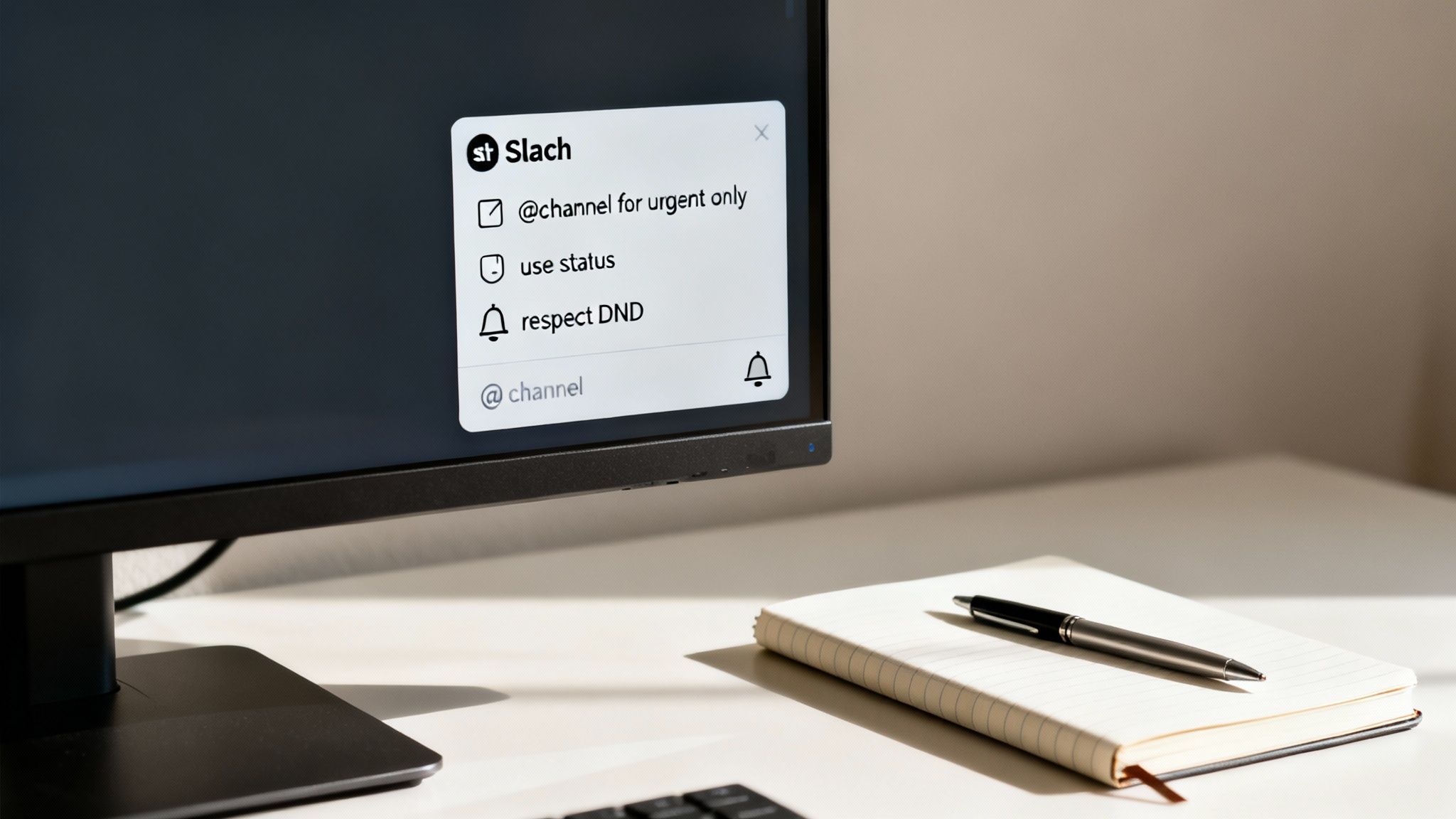
This isn't about micromanaging; it's about creating a more productive and less stressful environment for everyone.
✦Taming the Notification Beast
The single biggest complaint about any real-time communication tool is notification fatigue. To get ahead of this, you need a clear policy on how and when to grab someone's attention. That starts with defining how to use mentions properly.
Try creating a simple hierarchy for notifications:
- @channel and @everyone: Save these for truly urgent and critical announcements that need everyone's eyes right away. Overuse them, and people will start tuning them out—fast.
- @here: This one's perfect for time-sensitive but non-critical updates for people who are currently active in a channel. Think: "Hey @here, the video call link for the 10 AM sync is now in the channel."
- @username: This is your standard-issue way to direct a message to a specific person. Use it to ask a question or assign a task within a larger conversation.
By laying out this simple protocol, you build a culture where interruptions are meaningful, not constant. This helps everyone protect their focus and get their most important work done.
✦Communicating Availability and Expectations
In a digital workspace, you can't just glance across the office to see if someone is on a call. That's where Slack statuses and realistic response times come in. Encourage your team to use these features to signal what they're up to.
When employees trust their leaders and feel respected, they are more likely to be engaged in their work. Setting clear expectations around response times shows respect for an employee's time and focus, which directly contributes to a healthier, more productive culture.
A simple status like "In a meeting until 2 PM" or "Heads down on project work" manages expectations perfectly. It’s also important to establish a company-wide understanding that instant responses are not the default. A reasonable expectation, like acknowledging messages within a few hours, prevents the pressure of being "always on" and makes space for deep, focused work.
✦Maintaining a Clean and Secure Workspace
As your company grows, so will your Slack workspace. Without a maintenance plan, it can get cluttered with old channels and outdated information. A proactive governance strategy is key to long-term success.
Your maintenance plan should cover three main areas:
- Channel Creation Process: Don't let channel creation become a free-for-all. Set up a simple process for requesting new channels to avoid duplicates. For example, all new
#proj-channels must have a clear owner and an expected archive date. - Managing Guest Accounts: When working with contractors or clients, use single-channel or multi-channel guest accounts. This move limits their access to only the information they need and keeps your workspace secure. Make sure to regularly audit and deactivate guest accounts when a project wraps up.
- Archiving Old Channels: Periodically review and archive inactive channels. This declutters the sidebar, makes search results more relevant, and keeps the whole workspace focused on what's happening now. A quarterly clean-up is a great habit to get into.
These simple governance steps are foundational. For a deeper dive into building a productive communication environment, you might be interested in our guide on internal communication best practices. By combining a tidy workspace with clear etiquette, you ensure Slack remains a powerful asset.
Unlocking Productivity with Integrations and Workflows
Using Slack for internal communications is powerful on its own, but its real magic kicks in when it stops being just a chat app and becomes the central nervous system for all your other tools. Think of it like a smartphone—the hardware is great, but the apps are what make it truly indispensable. Integrations and workflows do the same for Slack, turning it from a simple messaging tool into a command center for your entire workday.
By connecting apps you already use, like Google Drive, Asana, or Jira, you pull critical updates and actions directly into your conversations. Instead of toggling between a dozen tabs, you can share files, update project statuses, and get important notifications right where the discussion is happening. This is a game-changer for minimizing context switching, one of the biggest hidden drains on productivity.
✦From Conversation to Action: The Power of Workflows
Once you have your key apps connected, workflows are the next logical step. They’re basically automated recipes that turn repetitive, manual tasks into simple, one-click actions. Imagine turning a customer comment in a #feedback channel into a support ticket in Zendesk without ever leaving Slack. That's a workflow in action.
These automated sequences can handle everything from simple HR requests to complex project updates. Building even basic workflows frees up a surprising amount of your team’s time and mental energy, letting them focus on meaningful work instead of tedious administrative chores. It's not just about being faster; it's about creating a smarter, more responsive way to work.
✦Bridging the Gap Between Slack and Google Calendar
One of the most common productivity killers for companies using both Slack and Google Calendar is the clumsy dance between discussion and scheduling. A brainstorming session is on fire, momentum is building, and then someone types, "Okay, I'll send out a calendar invite." Just like that, the energy fizzles. The conversation dies while someone switches apps to handle the tedious task of scheduling.
This is exactly the kind of friction that a good integration is built to solve. For instance, learning how to quickly sync Slack with Google Calendar is a huge step toward smoother coordination. The goal is to keep the momentum going by turning a decision into a scheduled event without ever breaking the flow of the conversation.
The best tools are the ones that fit so seamlessly into how you already work that you forget they're separate products. They don’t add another step; they remove one. This is the mark of a truly great integration.
✦Be There: The Indispensable Link for Event Planning
For any company that relies on both Slack and Google Calendar, a tool like Be There is not just handy—it becomes essential. It’s designed specifically to bridge that critical gap, acting as a direct link between a Slack conversation and your team's Google Calendar. It eliminates the need to switch contexts, preserving creative energy and forward motion.
Instead of jumping over to another app, Be There lets you create a Google Calendar event with a single click, directly from a Slack message. A spontaneous idea for a team lunch or an urgent project sync can be planned and on everyone's calendar in seconds, all within the channel where the idea first came up.
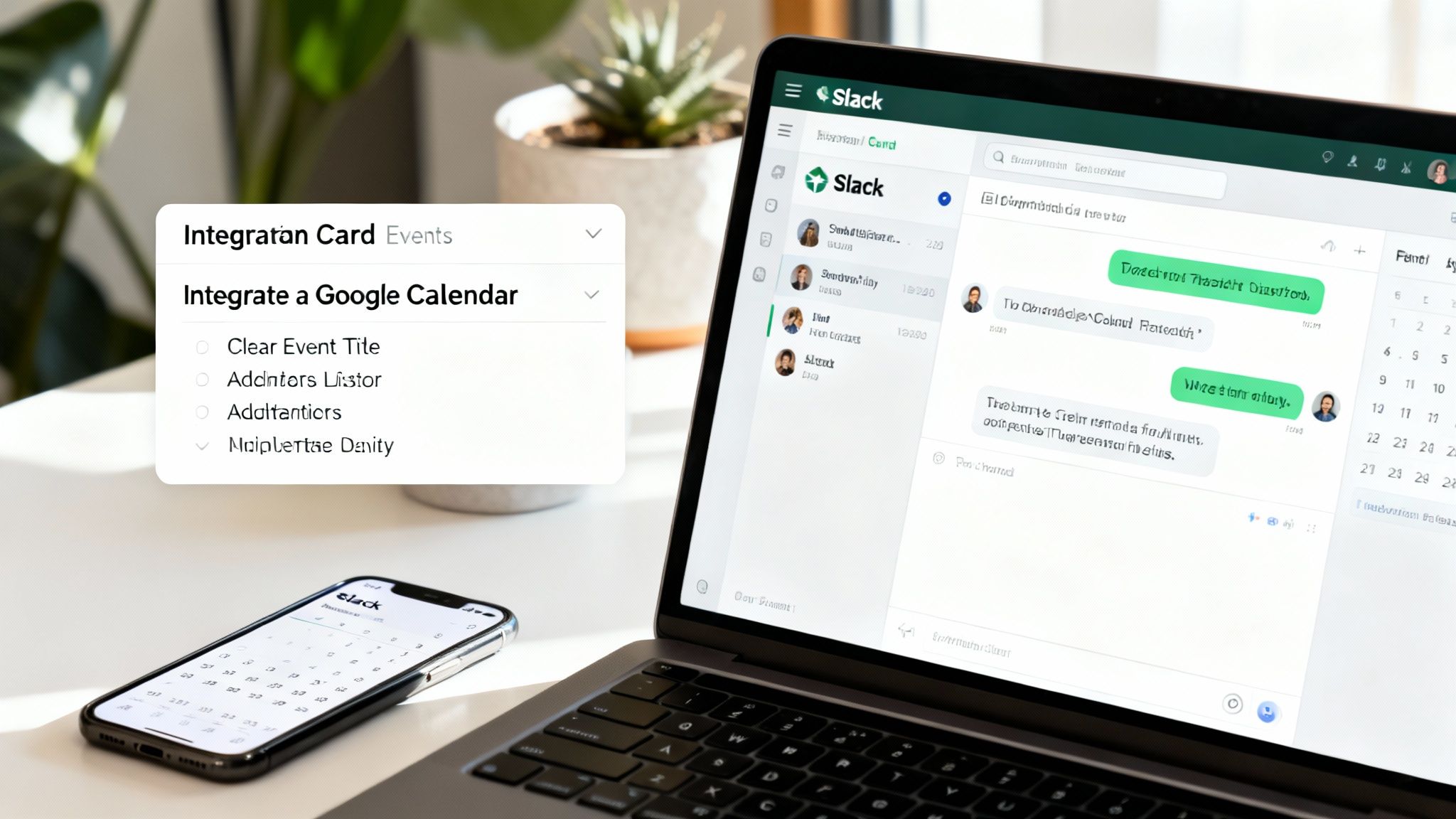
This massive reduction in friction is the real win. It's a powerfully simple workflow that keeps your team focused and productive.
Be There doesn't just create the event; it handles the whole process intelligently:
- Automatic Invites: It smartly invites everyone in the channel, so no one gets left out of the loop.
- Smart Reminders: Automated reminders pop up in Slack, which helps boost attendance and keeps the event top of mind.
- Centralized RSVPs: Team members can RSVP with a click right inside Slack, making it easy to see who’s coming without having to check calendars or emails.
This simple tool completely transforms a core business process for companies using Slack and Google Calendar. It is a must-have workflow solution that keeps scheduling in the same place as the conversation, cutting out the back-and-forth that kills productivity and wastes time.
✦Choosing the Right Integrations for Your Team
With thousands of apps in the Slack App Directory, the trick is to be selective. Don't try to connect everything at once. Instead, focus on integrating the tools that solve your team's biggest and most frequent headaches. Start by identifying the apps your team uses every single day and connect those first.
- Project Management (Asana, Trello, Jira): Get task updates and create new ones from messages to keep projects moving forward.
- File Management (Google Drive, Dropbox): Make file sharing and permissions a breeze, all handled directly within your channels.
- Customer Support (Zendesk, Intercom): Turn customer messages into support tickets and manage responses from a dedicated Slack channel.
- Sales & CRM (Salesforce): Pipe in updates on new leads and deal progress to keep the entire team motivated and in the loop.
This shift toward integrated platforms is a major trend. With over 42 million daily users, Slack has solidified its place as a leader by building this powerful ecosystem. Teams that embrace it have seen a reduction in internal emails by over 30%—a clear sign that people prefer real-time, integrated messaging over siloed communication.
By thoughtfully connecting your most-used tools and automating key workflows, you can elevate Slack from a simple messaging app to the true digital headquarters for your entire organization.
Avoiding Common Slack Communication Pitfalls
https://www.youtube.com/embed/AZdYHl1olV4
Even the best tools can be misused, and without some ground rules, using Slack for internal communications can sometimes create more problems than it solves. What starts as a productivity hub can quickly spiral into a source of constant digital noise. The key is to get ahead of these downsides before they become a real drag on your team.
This means taking a clear-eyed look at the challenges and putting some simple strategies in place to fix them. By tackling the most common issues head-on, you can keep your digital workspace focused and effective.
✦Escaping Information Overload
The endless stream of messages is usually the first hurdle. The fear of missing a critical update leads everyone to be on high alert, where every single notification pulls them away from real, focused work. That's a fast track to burnout.
Fortunately, Slack has powerful tools built right in to help you reclaim your attention. It’s not about ignoring people; it’s about controlling when and how messages reach you.
Here are a few ways to get back in the driver's seat:
- Customize Your Notifications: Don't just accept the defaults. Tweak your settings to only get pinged for direct messages, mentions, or specific keywords you care about. This one change filters out a massive amount of noise.
- Embrace Do Not Disturb: Use the "Do Not Disturb" mode or set your status to "Focusing." This is the digital version of closing your office door, signaling to your team that you need uninterrupted time to get things done.
- Mute Non-Essential Channels: Let's be honest, you don't need to know what's happening in every channel in real-time. Mute the ones that are just "good to know" but not critical to your job. You can always pop in and catch up on your own time.
✦Conquering the Fear of Missing Out
Slack’s real-time feel can create an unspoken pressure to reply instantly. This "Fear of Missing Out" (FOMO) easily builds a culture of being "always on," where people feel they have to watch channels all day just to keep up.
A healthy communication culture values focused work over constant availability. Trusting employees to catch up on their own time builds autonomy and leads to better, more thoughtful outcomes than a workplace fueled by reactive replies.
The solution is to build a culture that's friendly to asynchronous work. Leaders need to set the tone by using phrases like, "No need to reply immediately," or "When you get a moment..." This gives everyone permission to disconnect and focus, knowing an instant response isn't the expectation.
✦Taming Conversation Chaos
One of the biggest traps is letting important conversations get buried in a messy, scrolling feed. When follow-up questions and side chats all happen in the main channel, finding that critical piece of information later becomes nearly impossible. It completely defeats the purpose of having a searchable archive.
This is where using threads becomes non-negotiable. Threads are like mini-conversations, neatly tucking all related replies under the original post. This keeps the main channel clean and easy to scan, so new topics stand out.
Making this a team-wide habit is essential. A simple rule—"If you're replying to a specific post, use a thread"—can transform a chaotic channel into an organized library of information. This discipline makes sure important discussions and decisions are easy to find, reference, and build on later.
Got Questions About Using Slack?
As teams start using Slack for internal communications, or try to get more out of it, a lot of the same questions pop up. Answering them head-on is the best way to make sure the platform stays a productivity booster, not a source of digital chaos. Let's walk through some of the most common ones.
✦How Can We Actually Measure if Slack Is Working?
Measuring success with Slack isn't just about counting messages. Sure, data is part of it, but the real impact shows up in how your team works and feels. You need a mix of hard numbers and human feedback to see the full picture.
Here’s what to look at:
- The Hard Data: Are more people actually using it, especially across different departments? That's a great sign. An even better one is seeing a real drop in internal email traffic. That tells you conversations are moving to the right place.
- The Human Side: Just ask your team. Run simple surveys with direct questions like, "Do you feel more looped in with your coworkers?" or "Is it easier to find what you need now?" This kind of feedback is gold.
- The Bottom Line: Ultimately, you want to connect Slack usage to business results. Are projects getting done faster? Are problems that used to get stuck between departments now getting solved quickly? That’s your ROI right there.
✦Should Slack Just Replace All Our Internal Emails?
Nope, not completely. But it should definitely take over most of them. For the day-to-day chatter, quick questions, and project huddles that keep work moving, Slack is hands-down the better tool. It keeps conversations transparent and moving in real-time.
But email still has its place. It’s the right tool for:
Important, official company-wide announcements that need to be on the record.
Sending out sensitive HR or legal documents.
Talking to clients, vendors, or anyone else outside your company’s Slack.
The trick is to be crystal clear about it. Create a simple company policy that says, "Use Slack for X, use email for Y." When you remove the guesswork, everyone knows where to go for what.
✦What's the Best Way to Handle Sensitive Information?
Keeping information safe in Slack all starts with clear ground rules. First things first: define what can and cannot be shared in public channels. This one simple step can prevent a world of headaches and builds good security habits from the get-go.
For any conversation that shouldn't be public, guide your team to use private channels or direct messages. They create a closed-off space for those discussions. Beyond that, it’s all about education—reminding people of the basics, like not sharing passwords. If you need more control, you can dig into Slack's own security features, like setting up rules to automatically delete messages after a certain period.
✦How Do You Get New Hires Up to Speed on Slack?
A good Slack onboarding makes a huge difference in helping new folks feel like part of the team right away. If you just throw them in the deep end, they'll feel lost. A little structure makes their first few days so much smoother.
Try this simple four-step approach:
- Get Them in Early: Before their first day, add new hires to essential channels like
#announcementsand their own team channel (e.g.,#team-marketing). - Create a Welcome Spot: Have a dedicated channel like
#new-hireswhere people can introduce themselves and new employees can ask those first-day questions without feeling silly. - Give Them a Cheat Sheet: A simple one-pager that explains your channel names, basic rules, and a few "how-to" tips is incredibly helpful.
- Pair Them Up: Assign each new person a "Slack buddy"—a friendly teammate who can show them the ropes and answer informal questions for the first week or so.
This turns what could be an overwhelming experience into a genuinely welcoming one.
Tired of jumping between Slack and your calendar just to schedule a meeting? Be There connects your Slack conversations directly to Google Calendar, so you can create and manage events without ever breaking your stride. See how you can make event planning seamless today.
Share this post

Planning your internal events has never been easier!
No more scheduling headaches—our Slack-connected web app keeps things simple. Less email, more fun! 🚀
 Prefer a quick walkthrough?