
Be There
Blog

7 Best Virtual Games to Play With Coworkers in 2025
By BeThere
Nov 20, 2025 • 27 min read
Share this post


Keeping remote and hybrid teams connected is a significant challenge. The spontaneous chats that once happened in the office kitchen are gone, and building genuine relationships through a screen requires deliberate effort. Virtual games to play with coworkers are a powerful solution, breaking the monotony of back-to-back meetings and fostering the camaraderie that fuels a positive company culture.
However, the biggest hurdle often isn't choosing a game; it's the logistical headache of scheduling, sending reminders, and ensuring people actually show up. The administrative work can quickly overshadow the fun, especially for companies juggling communication between Slack and Google Calendar. This guide solves that problem. We've compiled a comprehensive list of the top platforms for hosting virtual team games, moving beyond just a simple list to give you a clear, actionable playbook. For a deeper understanding of the concepts behind fostering connection through shared experiences, check out this glossary entry on virtual team building.
This article will show you exactly how to find, plan, and execute engaging events with minimal friction. Each entry includes:
- A concise description of the platform and its offerings.
- Key details like player count and time required.
- Actionable setup steps, including tips for seamless integration with Slack and Google Calendar.
We will also highlight how a tool like Be There can simplify the entire event management process directly within Slack, transforming a complex organizational task into a simple, automated workflow. For companies using both Slack for communication and Google Calendar for scheduling, a tool like Be There is invaluable as it syncs both platforms, preventing double-booking and ensuring all event information is consistent and easy to find. Get ready to find the perfect game and, more importantly, learn how to make it an effortless success that your team will genuinely look forward to.
1. Jackbox Games: The Low-Cost, High-Laughs Party Starter
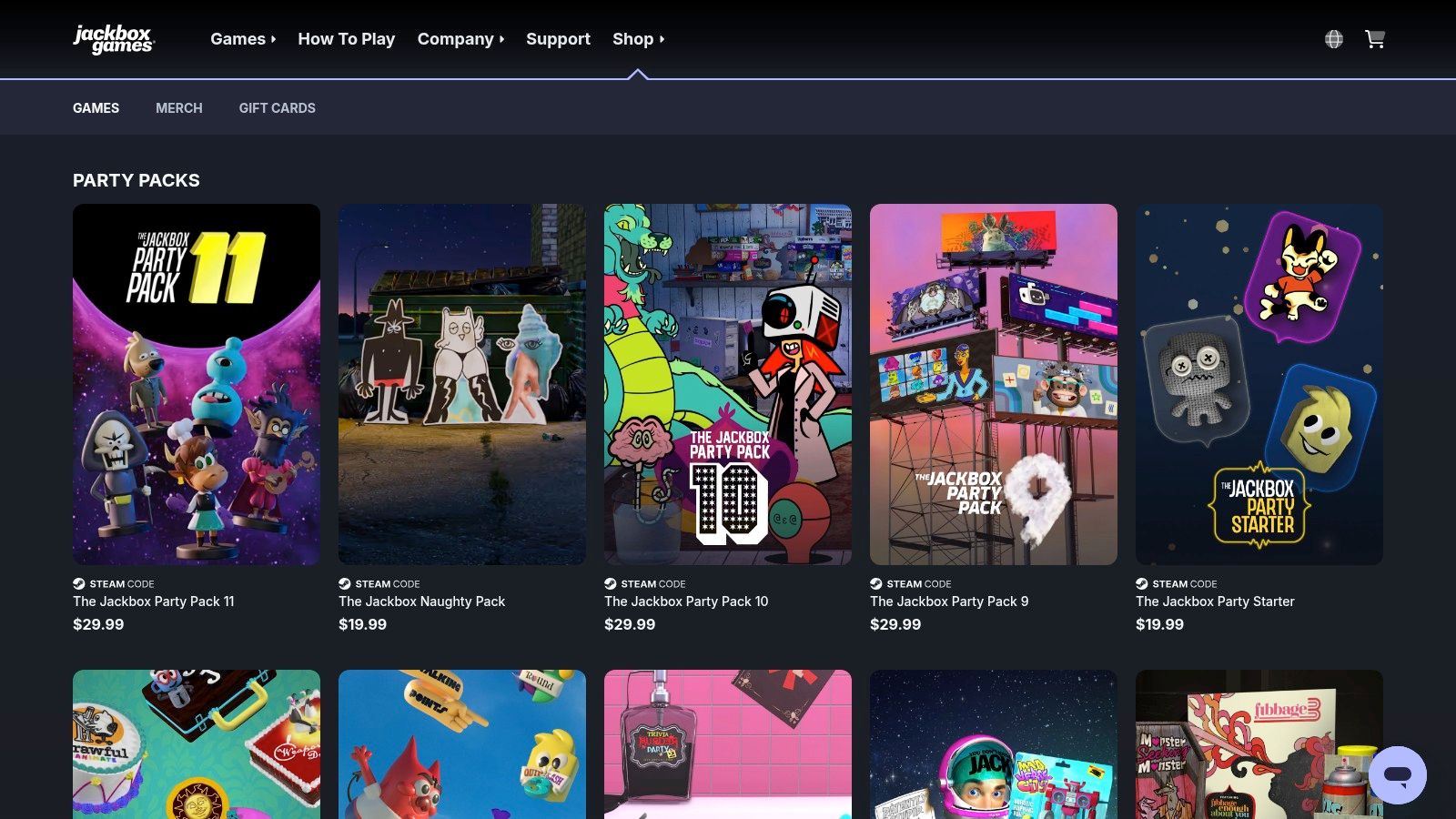
Jackbox Games provides downloadable "Party Packs," which are collections of quirky and engaging virtual games perfect for remote teams. The magic of Jackbox is its simplicity: only one person, the host, needs to own the game. Everyone else joins using a unique room code on their phone's web browser, turning their personal device into a controller. This setup makes it one of the easiest and most accessible virtual games to play with coworkers.
The games are designed for laughter and interaction, covering everything from witty fill-in-the-blanks in Quiplash to hilarious drawing competitions in Drawful. The host simply starts the game and shares their screen over a video call (like Zoom, Google Meet, or Microsoft Teams), and the team is ready to play in minutes.
✦Key Details & Setup
- Players: 3-8 players per game (some support up to 10)
- Time Required: 15-30 minutes per game
- Cost: One-time purchase for the host. Party Packs (containing 5 games) typically cost $15-$30.
- Best For: Casual Friday wind-downs, icebreakers, and spontaneous team fun.
How to Set Up a Jackbox Game:
- Purchase & Install: The host buys a Jackbox Party Pack on a platform like Steam (for PC/Mac), a gaming console, or a streaming device.
- Start the Game & Video Call: The host launches the game and starts a video conference call, then shares their screen so everyone can see the main game display.
- Players Join: Players go to
Jackbox.tvon their phone or computer browser, enter the 4-letter room code shown on the host's screen, and type their name. That’s it!
✦Tips for a Great Experience
Maximizing Engagement
To ensure a smooth event, it’s vital to handle the logistics cleanly. A facilitator should be designated to host, share their screen, and explain the rules for each game. Mute all participants during the answer-input rounds to build suspense, then unmute everyone for the big reveal to capture all the laughter and reactions. This simple moderation tactic keeps the energy high and the focus clear.
Be There + Slack Integration
Coordinating a game can be tricky with busy schedules. Using a tool like Be There streamlines the entire process directly within your workspace, which is especially handy for companies that rely on both Slack and Google Calendar.
- Effortless Scheduling: Create a "Jackbox Happy Hour" event in Slack using Be There. It automatically generates a Google Calendar invite and a Slack reminder, ensuring your team's availability is synced across both platforms.
- Clear Instructions: Add the Zoom link and a note like "Get ready to play! Go to Jackbox.tv on your phone when the game starts" directly in the event description.
- Boost Attendance: Be There's automated reminders ensure everyone shows up on time, turning a potentially chaotic setup into a one-click-to-join experience.
✦Variations for Hybrid Teams
For teams with both in-office and remote members, Jackbox works beautifully. Project the main game screen onto a large monitor in the conference room. In-office players can gather together, while remote employees join the same video call. Everyone still uses their own phone as a controller, creating a unified and inclusive experience no matter where they are. For more ideas on bridging the distance, you can explore other great games to play long-distance. Find out more about how to make long-distance games a success.
2. TeamBuilding.com: The Fully-Hosted, Stress-Free Event
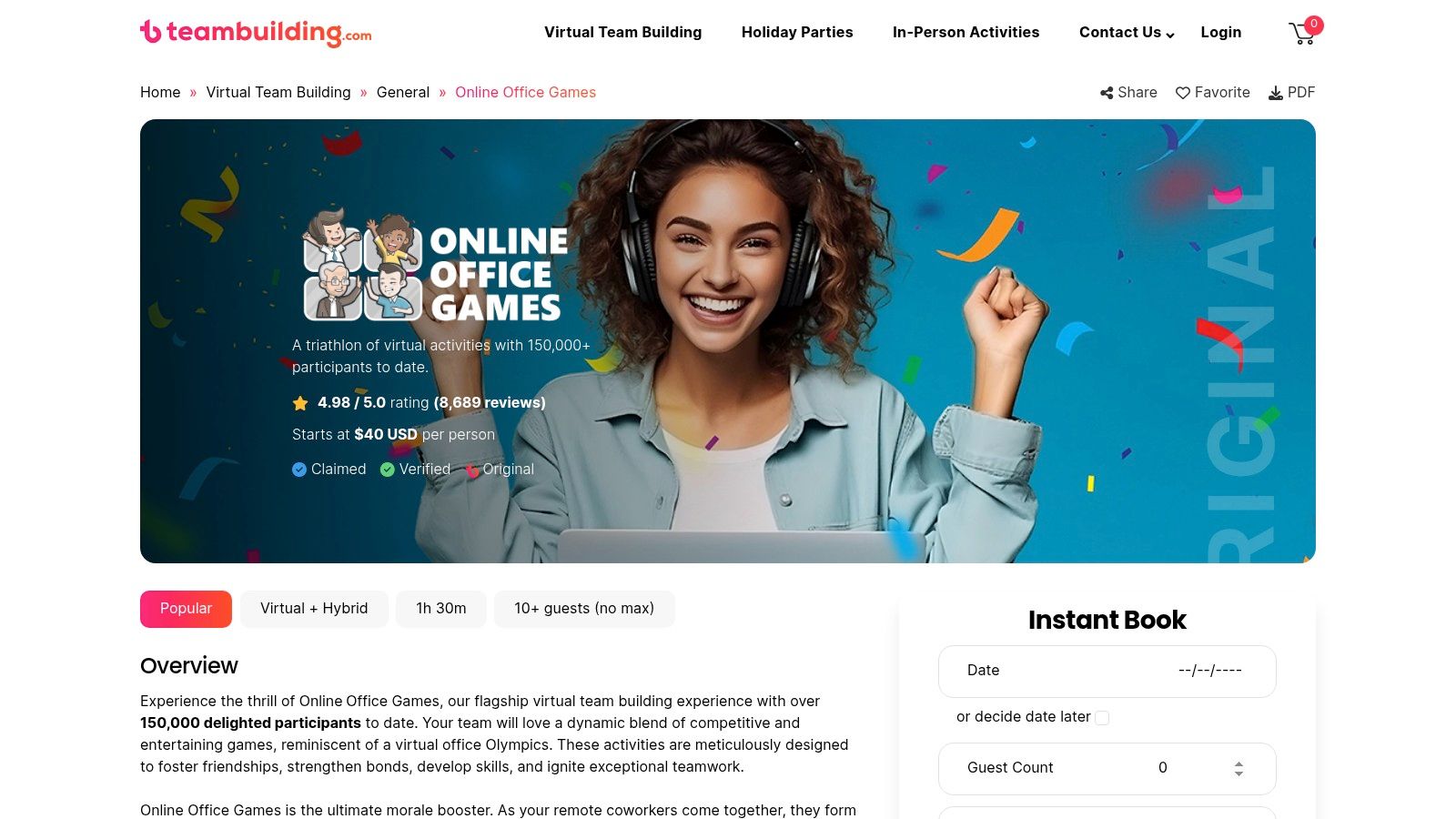
TeamBuilding.com offers a premium, turnkey solution for virtual team events by providing live, professional hosts to run everything for you. Their flagship offering, Online Office Games, is a 90-minute session that blends trivia, mini-challenges, and clever icebreakers, all facilitated by an engaging host. This is the perfect option when you want the fun of virtual games to play with coworkers without any of the organizational stress.
The entire experience is designed to be seamless. Your team joins a video call, and the host takes over, guiding everyone through a series of fun, fast-paced games. Because it's a fully managed service, it removes the burden from internal organizers, allowing everyone on the team, including managers, to simply participate and enjoy the event.
✦Key Details & Setup
- Players: Scales from small teams to very large groups (hundreds of participants).
- Time Required: Typically 60-90 minutes per session.
- Cost: Per-person pricing, which varies based on group size. Requires booking in advance.
- Best For: Scheduled company-wide events, department celebrations, and new team onboarding.
How to Set Up a TeamBuilding.com Event:
- Book Your Event: Go to the TeamBuilding.com website, choose an activity like Online Office Games, and book a time slot that works for your team.
- Share the Link: You will receive a dedicated video conference link for your event. Share this with your team.
- Show Up & Play: At the scheduled time, everyone clicks the link to join. The professional host greets the team and manages the entire event from start to finish.
✦Tips for a Great Experience
Maximizing Engagement
While the host handles the heavy lifting, a little internal prep can go a long way. Encourage team members to clear their calendars and be fully present for the session. Designate an internal "hype person" on your team to build excitement in Slack leading up to the event. This ensures everyone arrives with high energy and is ready to participate fully in the activities the host has planned.
Be There + Slack Integration
Coordinating a scheduled, third-party event requires clear communication and timely reminders. For companies that use Slack and Google Calendar, a tool like Be There makes this process effortless by integrating it directly into your team's workflow.
- Effortless Scheduling: Once you've booked with TeamBuilding.com, create a "Company Game Day" event in Slack using Be There. It instantly sends a Google Calendar invitation to everyone, keeping both platforms in sync.
- Clear Instructions: Paste the unique event link from TeamBuilding.com directly into the Be There event description so all necessary information is in one place.
- Boost Attendance: Be There’s automated Slack reminders ensure no one misses the event, turning a manually coordinated session into a simple, click-to-join experience for the whole team.
✦Variations for Hybrid Teams
TeamBuilding.com’s events are designed with remote and hybrid teams in mind. For hybrid setups, gather your in-office employees in a conference room with a large screen and a quality webcam/microphone. They can participate as a group while remote employees join individually from their own computers. The professional host is experienced in engaging both groups simultaneously, ensuring an inclusive and unified experience for everyone, regardless of their location. For more insights on planning these types of activities, see these examples of great corporate team building events.
3. Confetti: The All-in-One Marketplace for Hosted Virtual Events
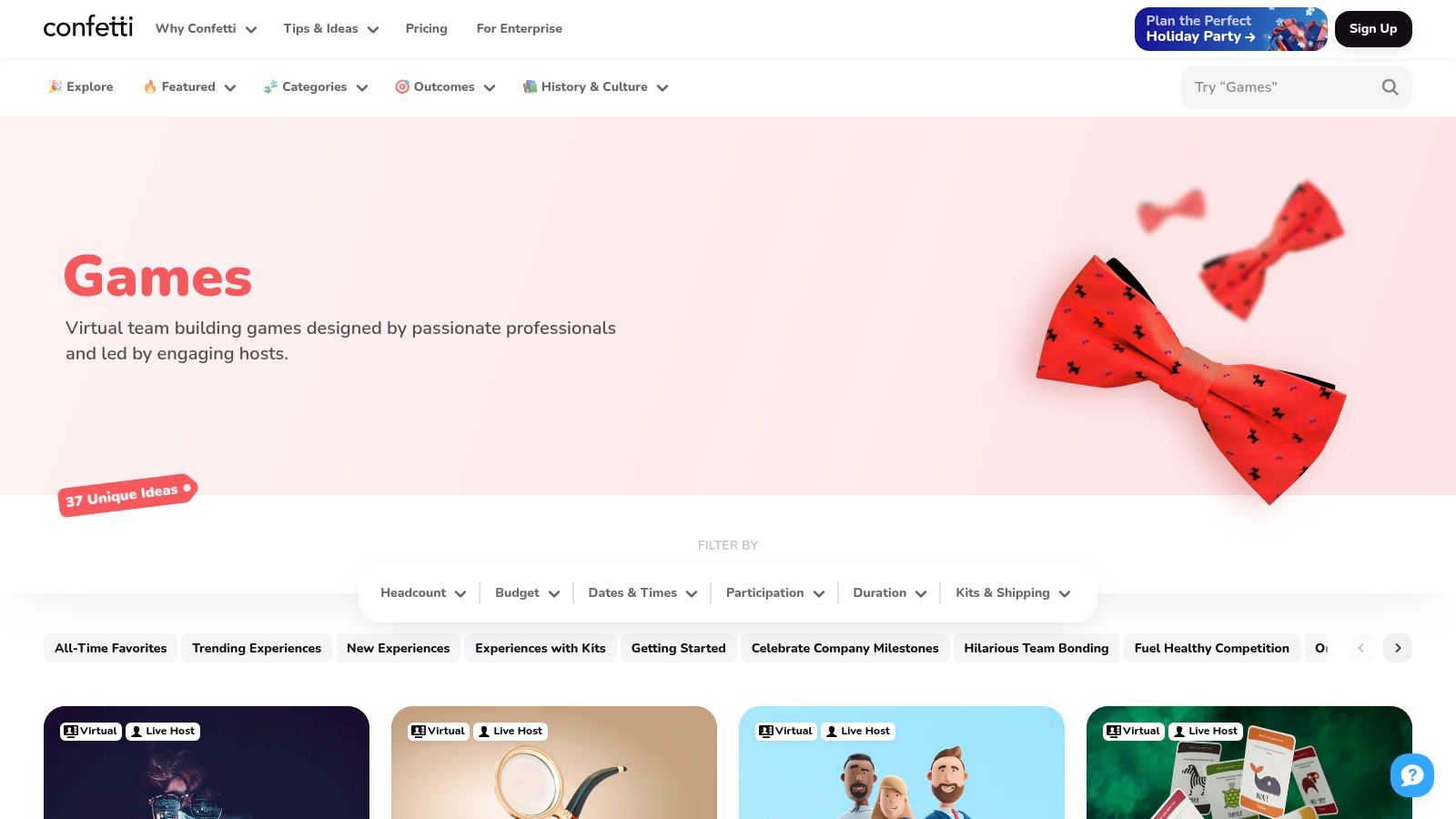
Confetti operates as a curated marketplace for virtual team-building activities, offering a massive catalog of professionally hosted games and experiences. Instead of a DIY setup, Confetti connects you with vetted hosts for events like virtual game shows, trivia, escape rooms, and even murder mysteries. This makes it an excellent solution for teams wanting a polished, hassle-free event without the burden of planning and facilitation, positioning it as a premium choice for virtual games to play with coworkers.
The platform simplifies the entire booking process. Organizers can browse a wide variety of formats, see clear pricing based on headcount, and book an event in just a few clicks. From short mini-games to full-scale "Virtual Field Days," Confetti provides a one-stop shop for memorable, professionally managed team fun that requires minimal effort from the organizer.
✦Key Details & Setup
- Players: Varies widely by event, from 4 to 1,000+ participants.
- Time Required: 30-90 minutes, depending on the chosen activity.
- Cost: Varies significantly. Some games have a flat fee, while others are priced per person (e.g., $15-$45 per person).
- Best For: Special occasions, holiday parties, team-building offsites, and when you want a fully managed, professional experience.
How to Set Up a Confetti Event:
- Browse & Select: Visit the Confetti Games Collection and choose an event that fits your team's size and interests.
- Book Your Slot: Select your preferred date and time, enter your headcount to get an instant quote, and complete the booking.
- Receive Confirmation: Confetti sends a confirmation with all the details, including a video conference link for your team to join at the scheduled time. A professional host handles everything from there.
✦Tips for a Great Experience
Maximizing Engagement
With a hosted event, the heavy lifting is done for you, but clear communication is still key. Make sure to share the event description with your team beforehand to build excitement. During the event, encourage everyone to turn their cameras on and use the chat function to cheer on their colleagues. The host will guide the activity, but active participation from the team makes the experience much more dynamic and enjoyable for everyone.
Be There + Slack Integration
Coordinating a third-party event like one from Confetti requires getting everyone the right link at the right time. For companies managing their teams via Slack and Google Calendar, using a tool like Be There is a game-changer. It makes the process seamless and professional, directly within your Slack workspace.
- Effortless Scheduling: Create a "Virtual Game Show" event in a Slack channel using Be There. It instantly sends a Google Calendar invitation to all attendees, preventing scheduling conflicts.
- Clear Instructions: Once Confetti provides the event link, add it directly to the Be There event description. Include a note like, "Here's the link for our hosted game! Click here at 3 PM to join the fun."
- Boost Attendance: Be There’s automated reminders in Slack ensure no one misses the event. This prevents last-minute scrambling for links and turns a special occasion into a simple, one-click experience for the entire team.
✦Variations for Hybrid Teams
Most Confetti events are designed to be virtual-first, making them perfect for hybrid teams. Remote employees can join from home, while in-office colleagues can gather in a conference room and project the video call onto a large screen. This setup allows everyone to see the host and each other, creating a shared experience. To further bridge the gap, consider sending small snack boxes or company swag to all participants, both in-office and remote, to enjoy during the event.
4. Weve: The All-in-One Corporate Game Show Platform
Weve is a dedicated virtual event platform designed specifically for corporate teams, offering a polished, game show-style experience. Unlike simple screen-sharing games, Weve provides a purpose-built environment with a variety of engaging mini-games like Pub Trivia, Giphy Battle, and Name That Tune. Its main advantage is flexibility, offering live-hosted, auto-hosted, and self-hosted options to fit different budgets and needs, making it one of the most versatile virtual games to play with coworkers.
The platform is built to handle everything from small team huddles to large-scale corporate events. It creates a private, branded space for your company where teams can interact, move between breakout rooms, and compete in a structured, high-energy format. This all-in-one approach eliminates the need to juggle multiple tools, providing a seamless experience for both organizers and players.
✦Key Details & Setup
- Players: Scales from small teams to large events (e.g., 25 per room, with multi-room support).
- Time Required: 30-60 minutes per session.
- Cost: Single-session pricing based on group size or subscription plans. Options are available for different hosting types (live, auto, self-hosted).
- Best For: Structured team-building events, department-wide competitions, and onboarding activities.
How to Set Up a Weve Game:
- Book Your Event: Go to the Weve website and choose your game, hosting type, and group size to book a session.
- Receive Your Link: Weve provides a unique event link for your private game room.
- Invite Your Team: Share the link with your coworkers. At the scheduled time, everyone clicks the link to enter the dedicated game space directly in their browser.
✦Tips for a Great Experience
Maximizing Engagement
Weve’s strength lies in its structured format. To make the most of it, designate a point person to coordinate with Weve and communicate instructions clearly to the team beforehand. If you choose a live-hosted option, let the professional host guide the energy. For self-hosted games, prepare a few opening remarks to build excitement and explain the flow of the event before kicking things off.
Be There + Slack Integration
Coordinating a polished event like one on Weve requires clear communication and scheduling, which can be managed effortlessly right from Slack. This is particularly useful for companies that need to align their team's Slack activity with their Google Calendars.
- Seamless Scheduling: Use Be There to create a "Weve Trivia Championship" event in a Slack channel. The tool will automatically create a Google Calendar invite and send it to all attendees.
- Centralized Info: Paste the unique Weve event link directly into the Be There event description. Add a note like, "Get ready for our game show! Click the link above to join at game time. No downloads needed!"
- Punctual Players: Be There’s automated Slack reminders ensure everyone has the link and joins the event on time, preserving the professional and organized feel of the Weve experience.
✦Variations for Hybrid Teams
Weve is exceptionally well-suited for hybrid teams. In-office employees can gather in a conference room and project the main Weve screen, while remote team members join from their own computers using the same link. Because every participant interacts through their own device (laptop or phone), everyone has an equal opportunity to participate, answer trivia, and engage in the games. The platform’s breakout room feature also allows for mixing hybrid and remote members into smaller groups for more intimate icebreakers.
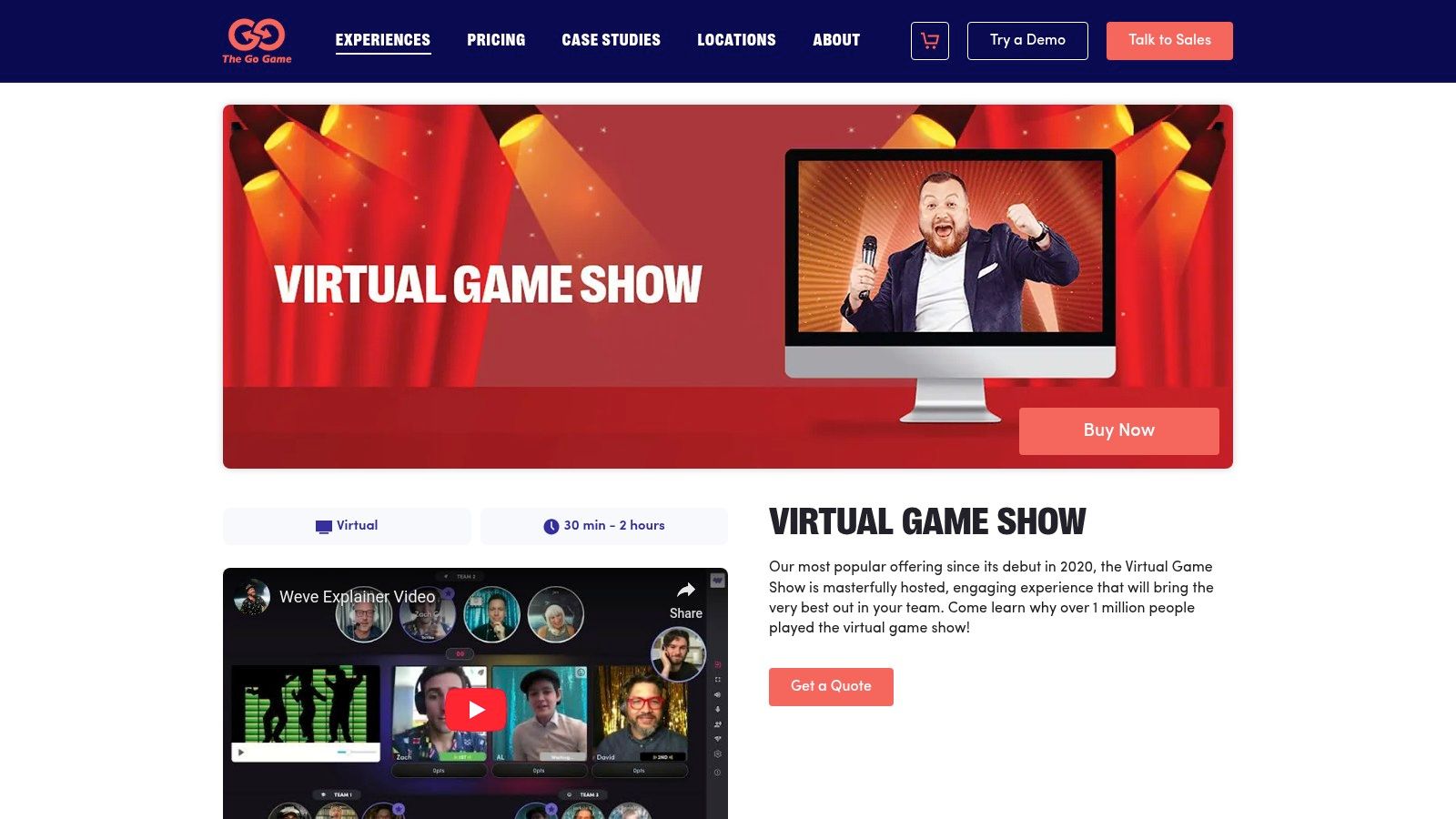
5. The Go Game: Polished, Professionally Hosted Virtual Events
For teams looking for a more structured and high-production-value experience, The Go Game offers professionally hosted virtual events designed specifically for corporate team building. Moving beyond DIY setups, they provide a polished, TV-style game show feel with experienced hosts who guide your team through activities like virtual scavenger hunts, escape rooms, and themed game shows. These events run on their dedicated Weve platform, ensuring a seamless and engaging session from start to finish.
This is an excellent option when you want to organize something special without handling the facilitation yourself, making it one of the most reliable virtual games to play with coworkers for important company-wide events. The production quality and expert hosts take the pressure off internal organizers, allowing everyone, including managers, to participate fully.
✦Key Details & Setup
- Players: Flexible, designed for small teams to entire companies (10-1,000+).
- Time Required: Typically 60-90 minutes per event.
- Cost: Tiered pricing based on attendee count. Higher initial cost than DIY games, with package options available for recurring events.
- Best For: Company-wide events, department offsites, holiday parties, and when you need a guaranteed, professionally-run experience.
How to Set Up a Go Game Event:
- Book Your Event: Visit The Go Game's website, choose an experience, and book a time slot for your team.
- Receive Joining Info: The Go Game provides a unique event link for their Weve platform. No downloads are required; it all runs in a web browser.
- Share with the Team: Distribute the link to all participants ahead of the event. On game day, everyone clicks the link, and the professional host takes it from there.
✦Tips for a Great Experience
Maximizing Engagement
To get the most out of a professionally hosted event, encourage active participation from the start. Let your team know this is a dedicated time for fun and connection, and ask them to minimize distractions. The hosts at The Go Game are experts at breaking the ice and getting people involved, but a little internal encouragement goes a long way. Communicate the event's purpose beforehand to build excitement and ensure everyone is ready to engage.
Be There + Slack Integration
Coordinating a premium, scheduled event like this requires clear communication and strong attendance. For companies that organize their work life in Slack and Google Calendar, using a tool like Be There simplifies the entire organizational process.
- Effortless Scheduling: Create a "Virtual Team Game Show" event in your team's Slack channel using Be There. This automatically generates a Google Calendar invitation and sets up Slack reminders, keeping everyone aligned.
- Centralized Information: Add The Go Game event link and any special instructions directly into the Be There event details. Everyone will have one place to find what they need.
- Boost Attendance: Automated reminders from Be There ensure everyone joins the event on time, respecting the schedule set by the professional hosts and maximizing your investment.
✦Variations for Hybrid Teams
The Go Game excels in hybrid environments. Their platform is designed for both remote and in-person participants to interact seamlessly. For a hybrid setup, book a conference room for the in-office team and project the event onto a large screen. In-office employees can collaborate in person, while remote team members participate from home. The host will facilitate activities that ensure everyone, regardless of location, feels equally included and engaged.
6. Let’s Roam: Hosted Games for Effortless Team Building
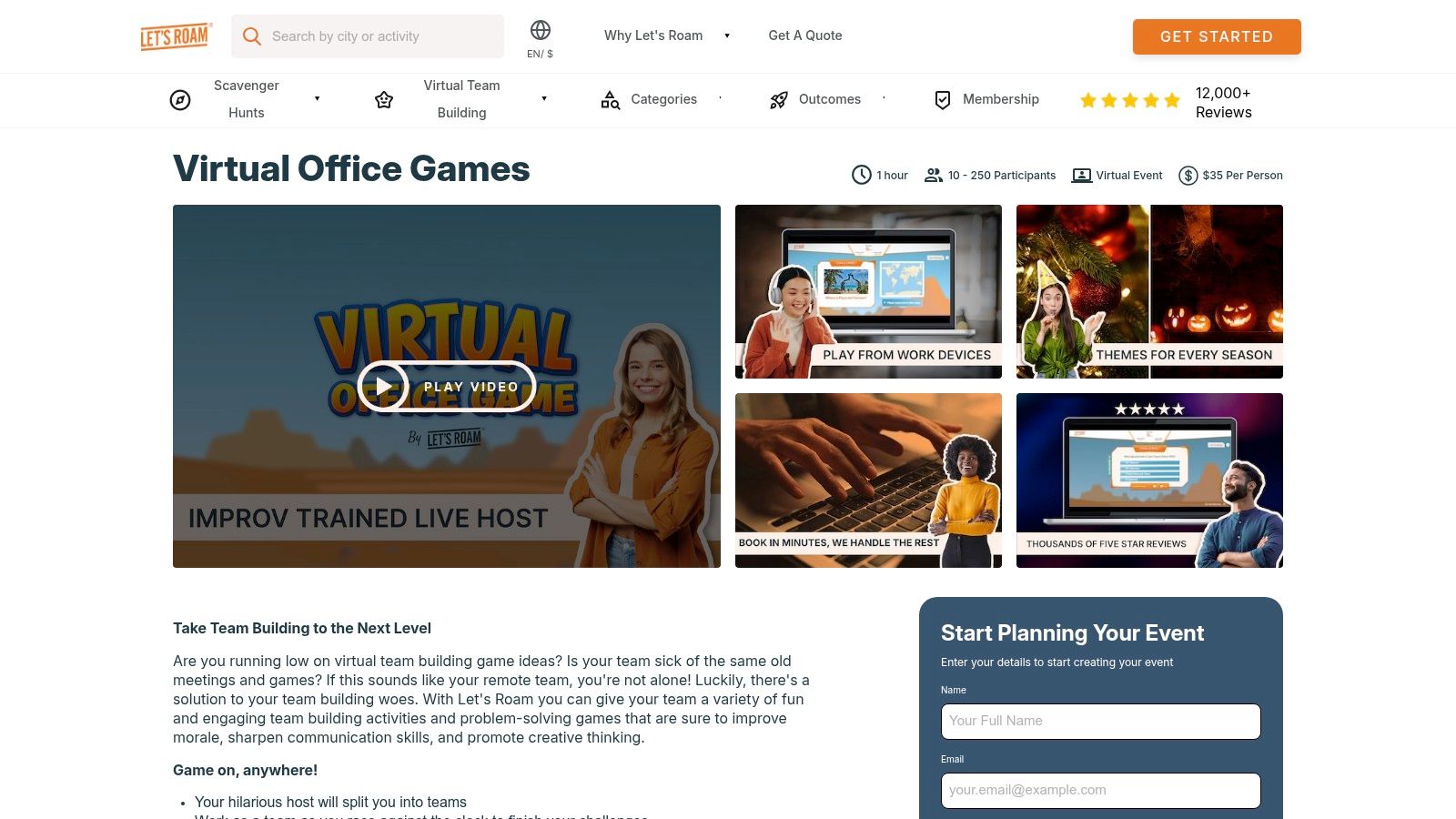
Let’s Roam offers a curated suite of professionally hosted virtual events, including team-building games, mixers, and virtual escape rooms. This platform is an excellent choice for managers who want to provide a polished, structured event without handling the facilitation themselves. A dedicated host guides your team through the activities, ensuring everyone participates and the event runs smoothly from start to finish. This makes it one of the most hands-off virtual games to play with coworkers.
The activities are designed for maximum interaction, featuring rounds of trivia, puzzles, emoji-based guessing games, and creative challenges. Let's Roam simplifies the entire process with straightforward online booking and standardized 60-minute sessions, making it easy to schedule recurring team socials or one-off celebrations. Their virtual escape rooms are particularly accessible, running directly in a web browser with no special software required.
✦Key Details & Setup
- Players: 10–250+ players
- Time Required: Standard 60-minute sessions
- Cost: Per-person pricing, quotes available online. Add-ons like virtual happy hour kits are available.
- Best For: Fully-managed team events, quarterly socials, and teams who want a professional host to lead the fun.
How to Set Up a Let’s Roam Event:
- Book Your Event: Visit the Let's Roam Virtual Team Building page and request a quote for your desired activity and team size.
- Receive Your Link: Once booked, you'll receive a unique video conference link for your event.
- Share with the Team: Distribute the link to your coworkers. On game day, everyone clicks to join, and the professional host takes over from there.
✦Tips for a Great Experience
Maximizing Engagement
Even with a professional host, a little internal prep goes a long way. Designate an internal "hype person" to encourage participation in the days leading up to the event. Let the team know what to expect and frame it as a dedicated break from work. During the event, encourage everyone to keep their cameras on to see reactions and build a stronger sense of connection. The host will manage the game flow, but your team's energy is what makes it memorable.
Be There + Slack Integration
Coordinating with an external vendor like Let's Roam requires clear communication and scheduling. Using a tool like Be There keeps everything organized directly within Slack, which is perfect for companies managing teams on both Slack and Google Calendar.
- Centralized Info: Create a "Let's Roam Game Day" event in Slack with Be There. You can add the unique event link and any instructions from the host directly in the description.
- Automated Invites: The event automatically syncs with Google Calendar, sending an invite to everyone on the team and avoiding manual calendar juggling.
- Boost Attendance: Be There’s automated reminders in Slack ensure no one misses the start time, making the entire experience feel seamless and professional for your team.
✦Variations for Hybrid Teams
Let's Roam events are well-suited for hybrid environments. In-office employees can gather in a conference room and project the video call onto a large screen, participating as a single group. Remote employees join the same call individually from their homes. Since the games are browser-based and facilitated by the host, everyone can interact on equal footing, ensuring a fair and inclusive experience for all team members, regardless of their location. This approach makes it a great option when looking for effective company outing ideas that work for distributed teams.
7. Kahoot! 360: The Go-To Platform for Competitive Learning
Kahoot! 360 transforms standard meetings and training sessions into engaging, competitive quizzes. This self-serve platform allows hosts to create and launch live game-based quizzes, polls, and surveys tailored for corporate environments. Its simplicity and focus on knowledge make it an excellent choice for icebreakers, training reinforcement, or simply injecting some energy into a weekly sync. Like other top-tier virtual games to play with coworkers, it requires no downloads for players, who join easily via a web browser on their phones.
The platform is designed for professional use, offering business-focused templates, custom branding options, and detailed analytics to track engagement and performance. The host shares their screen over a video call, and participants compete to answer questions quickly and accurately, watching the live leaderboard update after each round. This creates a fun, competitive atmosphere perfect for team-building.
✦Key Details & Setup
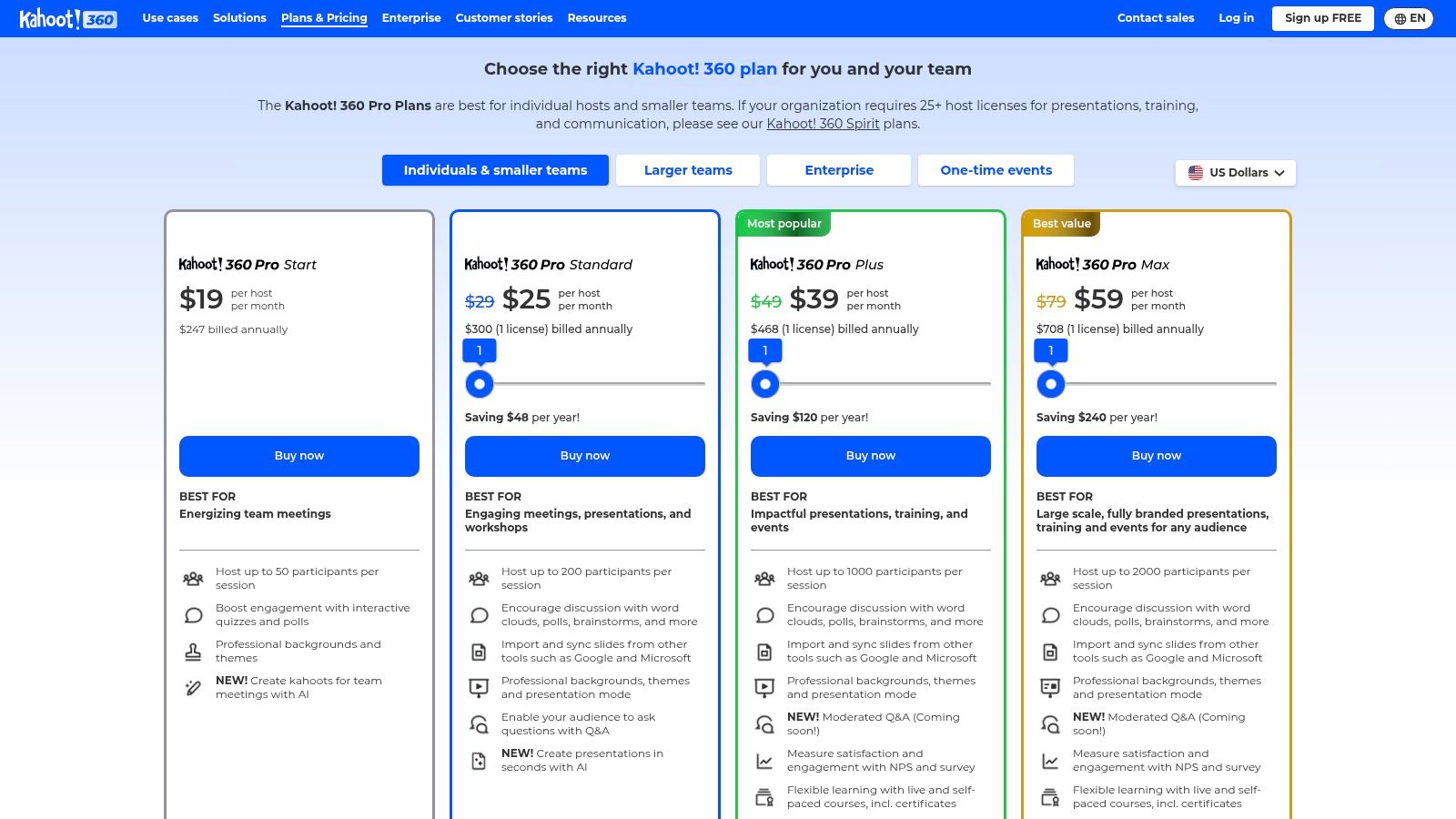
- Players: 3-2,000+ players, depending on the subscription plan.
- Time Required: 10-25 minutes per game.
- Cost: Subscription-based, with plans like Kahoot! 360 Standard starting around $39/month per host.
- Best For: Team training, onboarding new hires, knowledge checks, and large-scale company events.
How to Set Up a Kahoot! Game:
- Create or Find a Quiz: The host logs into their Kahoot! 360 account and either creates a new quiz (a "kahoot") from scratch or chooses from a library of pre-made templates.
- Start the Game & Video Call: The host starts a video conference call, shares their screen, and clicks "Start" to launch the game. A unique Game PIN will be displayed.
- Players Join: Players go to
kahoot.iton their phone or computer browser, enter the Game PIN, and add a nickname to join the lobby. The game begins when the host is ready.
✦Tips for a Great Experience
Maximizing Engagement
To get the most out of Kahoot!, prepare your content thoughtfully. While it’s primarily quiz-based, you can increase interaction by including polls, word clouds, and open-ended questions between quiz rounds to spark discussion. For quick, engaging activities that boost knowledge retention, exploring powerful microlearning examples can inspire new ways to use virtual games like Kahoot!. During the game, act as a game show host: read questions aloud, comment on the leaderboard, and celebrate correct answers to build excitement.
Be There + Slack Integration
Coordinating a team training or a company-wide quiz requires clear communication. Be There simplifies this process by connecting your plans in Slack directly to everyone's Google Calendar, making it a handy tool for busy companies.
- Centralized Scheduling: Use Be There to create a "Company Trivia Challenge" event in a company-wide Slack channel. An invite is automatically sent to Google Calendar.
- One-Click Access: Put the video call link and instructions like "Join the call, then get your phone ready for Kahoot!" right in the event description.
- Drive Participation: Automated Slack reminders from Be There ensure everyone is present and prepared, eliminating the last-minute scramble for links and instructions.
✦Variations for Hybrid Teams
Kahoot! is perfectly suited for a hybrid setup. The host can project the main game screen in a conference room for in-office employees while sharing the same screen over a video call for remote team members. Since everyone uses their personal device to answer, the experience is identical for all participants. This creates a level playing field and ensures that remote employees feel just as included in the competitive fun as their in-person colleagues.
Top 7 Virtual Team Games Comparison
| Item | Implementation 🔄 | Resources ⚡ | Expected outcomes 📊 | Ideal use cases 💡 | Key advantages ⭐ |
|---|---|---|---|---|---|
| Jackbox Games | 🔄 Low — host installs and screen‑shares; players join via browser | ⚡ Low — host purchase only; participants use phones/browsers | 📊 High casual engagement; short, playful sessions | 💡 Remote happy hours, quick icebreakers, mixed-group fun | ⭐ Wide variety of party games; very low per‑person cost |
| TeamBuilding.com | 🔄 Minimal — fully live, provider‑run sessions (schedule required) | ⚡ Moderate — professional host fees; per‑event pricing | 📊 High satisfaction and facilitator‑led cohesion | 💡 Large scheduled events, low‑effort organizer experiences | ⭐ Turnkey pro facilitation; strong social proof |
| Confetti | 🔄 Moderate — marketplace booking and vendor selection | ⚡ Variable — flat or per‑person pricing; vetted hosts | 📊 Variable impact based on chosen provider and format | 💡 Themed events, variety‑seeking organizers, flexible budgets | ⭐ Large catalog; transparent pricing and instant quotes |
| Weve | 🔄 Moderate — platform onboarding and room setup for best results | ⚡ Moderate — platform fees; options for live/auto/self hosting | 📊 Scalable, polished delivery for hybrid/large events | 💡 Corporate game shows, multi‑room/hybrid activations | ⭐ Flexible hosting modes; dedicated game environment |
| The Go Game | 🔄 Minimal — professionally hosted on Weve; organizer books packages | ⚡ Moderate–High — pro hosts, production values; tiered packages | 📊 High production value and strong engagement | 💡 Premium corporate events, recurring team programs | ⭐ Experienced hosts; tiered pricing for repeat bookings |
| Let’s Roam | 🔄 Minimal — straightforward booking; standard 60‑min sessions | ⚡ Moderate — dedicated hosts; browser escape rooms | 📊 Reliable engagement for small–mid sized teams | 💡 Virtual escape rooms, mixers, recurring socials | ⭐ Easy booking; browser‑based escape rooms; clear formats |
| Kahoot! 360 | 🔄 Low — self‑serve quiz creation and live hosting | ⚡ Low–Moderate — scalable plans, templates, analytics | 📊 Excellent for knowledge checks, polls and training metrics | 💡 Trainings, meeting icebreakers, large audience quizzes | ⭐ Fast deployment; business templates, branding and analytics |
From Planning to Playing: The Secret to Effortless Virtual Events
You now have a comprehensive list of exciting, engaging, and downright fun virtual games to play with coworkers. From the creative chaos of Jackbox Games to the professionally hosted events by TeamBuilding.com, and the quick-fire trivia of Kahoot!, there is a perfect fit for every team's size, budget, and culture. We've explored options that cater to quick 15-minute icebreakers and those designed for elaborate, multi-hour virtual retreats. The key takeaway is that fostering connection in a remote or hybrid environment doesn't have to be a monumental task.
The real challenge, however, isn't finding a great game; it's getting your team to show up, engaged and ready to play. The invisible labor of event coordination, from managing RSVPs across multiple platforms to sending out endless reminders, can quickly turn a fun initiative into an administrative headache. This is where even the best-laid plans fall apart. An event can only be successful if people attend, and attendance hinges on seamless, clear, and convenient communication.
✦Choosing the Right Path Forward
As you decide which of these fantastic options to try first, consider your team's specific needs. Your choice should be guided by more than just the game itself.
Reflect on these key factors:
- Your Goal: Are you trying to onboard new hires, celebrate a recent win, or simply break up the monotony of the work week? A quick Kahoot! quiz is great for a casual break, whereas a more structured event from Weve or The Go Game might be better for dedicated team-building sessions.
- Team Dynamics: Is your team competitive, collaborative, or more laid-back? Match the game's energy to your team's personality. Aggressively competitive games might not land well with a team that prefers cooperative problem-solving.
- Time & Budget: Be realistic about the resources you can commit. While fully-managed services from companies like Confetti offer a hands-off experience, they come at a higher price point. DIY options like Jackbox Games are budget-friendly but require more internal coordination.
✦The Missing Piece: Streamlining Your Event Workflow
No matter which game you select, the success of your event ultimately depends on how easy you make it for your team to participate. The friction involved in signing up, remembering the date, and finding the meeting link is a common cause of low turnout. This is particularly true for teams that live and breathe in platforms like Slack and Google Calendar. Juggling emails, calendar invites, and Slack announcements creates confusion and drains energy before the fun even begins.
To truly master the art of virtual team events, you need to bridge the gap between planning and playing. The most effective strategy is to meet your team where they already are.
Key Insight: The best virtual games to play with coworkers are the ones that are effortless to join. By automating the logistics of event management directly within your team's daily workflow, you remove the barriers to participation and significantly boost attendance.
Instead of fighting for your team's attention across multiple channels, centralize the entire process. A streamlined workflow means you can spend less time chasing RSVPs and more time focusing on what really matters: creating a positive and memorable experience that strengthens team bonds and boosts morale. Your goal is to make joining a virtual game as simple as clicking a single button in a place your team already checks every day.
Ready to eliminate the scheduling headaches and make your next virtual event a guaranteed success? Be There integrates directly with your Slack and Google Calendar, allowing you to create, manage, and launch events without ever leaving your workspace. Get your team excited and on board effortlessly by trying Be There today.
Share this post

Planning your internal events has never been easier!
No more scheduling headaches—our Slack-connected web app keeps things simple. Less email, more fun! 🚀
 Prefer a quick walkthrough?